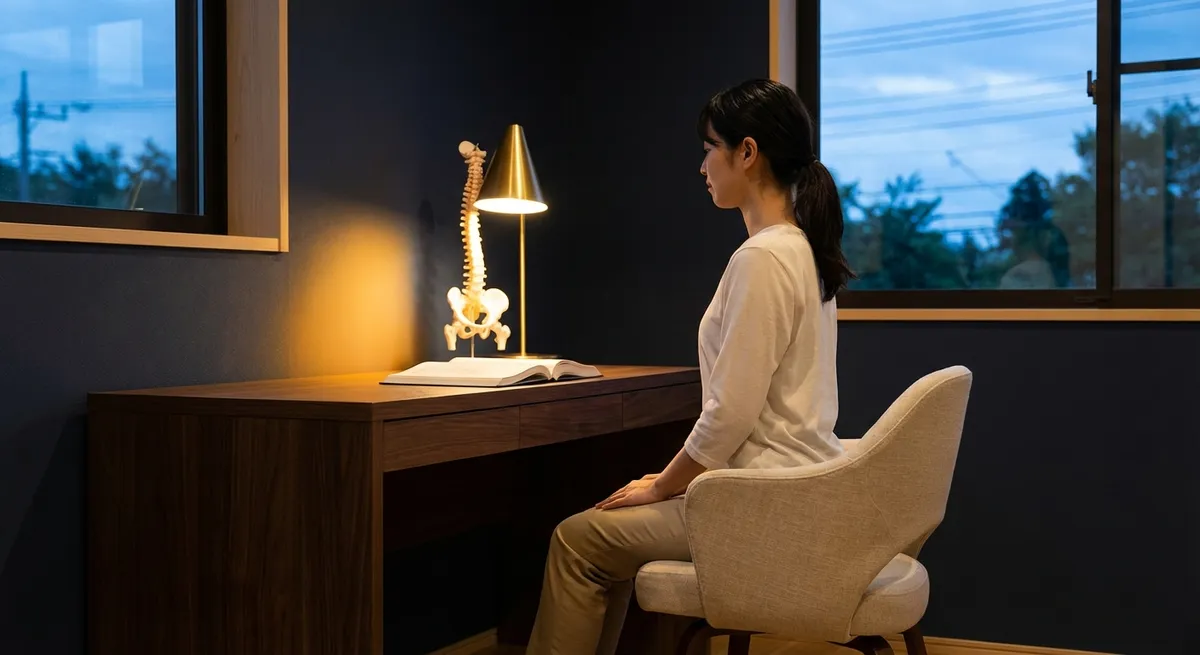
Back comfort is rarely the result of a single decisive choice; it’s usually the quiet accumulation of small, thoughtful decisions throughout the day. For those already managing back issues, ergonomics is less about buying a “perfect” chair and more about orchestrating an entire environment that respects your spine’s limits. When approached with intention, ergonomics becomes a refined practice—a way of moving through work and home spaces that consistently reduces strain, conserves energy, and protects the back you rely on.
This is an exploration of ergonomics at a more discerning level: five exclusive, under-discussed insights that speak to people who have already tried “sit up straight” and need something more precise, more intelligent, and more sustainable.
The Micro-Posture Principle: Why Your Next 30 Seconds Matter More Than Your Next Chair
Many people with back pain invest heavily in ergonomic chairs yet overlook the factor that quietly undermines all that engineering: time. Even a beautifully designed chair becomes a problem when you ask your spine to inhabit one posture for hours.
Micro-posture is the practice of making subtle, frequent changes to how you sit or stand—every 20–30 minutes—without necessarily taking a full break. It might be as small as shifting weight from one sit bone to the other, adjusting lumbar support by a few millimeters, or gently changing the angle of your recline. For the spine, these micro-adjustments are the difference between static load and dynamic support.
From an anatomical standpoint, static positions compress discs, fatigue postural muscles, and diminish blood flow to the smaller stabilizing muscles along your spine. Regularly changing position redistributes pressure, recruits different muscle fibers, and helps prevent those deep, dull aches that accumulate by late afternoon. For those already dealing with disc issues, spinal stenosis, or chronic muscular tightness, micro-posture can transform your workday from a test of endurance into a managed environment.
A practical way to embed this into your day is through “posture prompts”: each email you send, each call you end, or each document you close becomes a cue to adjust your seat height slightly, shift your pelvis, re-center your ribcage over your hips, or rest your feet differently. Instead of chasing the mythical ideal posture, you curate a sequence of compatible postures that share the workload.
The Vertical Plane: Training Your Environment to Respect Your Spine
Most ergonomic advice focuses on horizontal surfaces—the desk, the keyboard, the chair. Yet for someone managing back pain, the vertical plane is equally decisive: the height and angle of everything your eyes and hands regularly meet.
A spine-friendly environment keeps your gaze and your shoulders within a narrow, gentle range: eyes primarily looking straight ahead with only slight downward tilt; shoulders allowed to hang naturally, not reaching or hunching. This means training your environment—not your body—to cooperate.
Your main monitor should be directly in front of you, with the top of the screen at or slightly below eye level, reducing the urge to crane the neck. If you use a laptop, a stand plus an external keyboard and mouse are often non-negotiable for those with existing back issues; working directly on a low laptop subtly drags your head forward, sometimes by inches, multiplying the load on your cervical and upper thoracic spine.
Beyond screens, consider every vertical interaction: where you place a second monitor, a phone, a tablet, or printed documents. Position regularly used items so your shoulders stay relaxed and your elbows remain near your sides. Filing cabinets, printers, or reference shelves used multiple times a day should not require twisting, bending, or reaching above shoulder height. The guiding question becomes: What would this look like if my back pain were having a good day—and I wanted to keep it that way?
For home environments, apply the same logic to bathroom mirrors, kitchen cabinetry, and bedroom storage. A slightly lowered mirror that allows you to stand tall, a shelf height that doesn’t insist on repeated overhead reaching, or a nightstand that meets your hand without twisting—these are the refined details that preserve your back over thousands of repetitions.
Intelligent Anchoring: How Your Feet and Hips Quietly Dictate Your Back’s Fate
People often concentrate on lumbar cushions and backrests, yet for those managing back issues, true ergonomic stability begins lower: at the feet and hips. When these are poorly anchored, your spine compensates, often in ways that accumulate pain.
Your feet should be fully supported, flat or near-flat, with weight distributed across the heels and the balls of the feet. If your chair is too high and your feet dangle, your thighs take more pressure and your pelvis often tips, undermining lumbar alignment. Conversely, if your seat is too low, your hips drop below your knees, pitching your pelvis backward and encouraging a rounded lower back. Over time, either scenario can irritate discs, strain ligaments, and exhaust postural muscles already working harder because of pre-existing issues.
Thoughtful ergonomics for a sensitive back means treating seat height and foot support as non-negotiable. Adjust your chair so your hips are level with or just slightly above your knees, and introduce a footrest if your feet do not comfortably reach the floor without tension. The objective is a grounded, supported base that allows your spine to stack naturally rather than fight for balance.
Hip positioning is similarly crucial. Instead of thinking “sit up straight,” consider “sit into your hips.” Feel both sit bones evenly on the chair, avoiding the subtle habit of leaning predominantly into one side. For individuals with unilateral sciatic symptoms or asymmetric discomfort, even a few degrees of consistent side-loading can intensify symptoms over time. Many find that a subtly forward-tilting seat pan, or a wedge cushion that lifts the back of the pelvis, allows the spine to align more easily with less muscular effort—a small refinement with disproportionate payoff.
The Soft Architecture of Breaks: Designing Intervals That Truly Decompress the Spine
Most people with back pain know they should take breaks; fewer know how to structure those breaks to actually benefit their spine. A brief scroll on your phone in another chair is not the same as a decompressive break.
An intelligently designed micro-break for the back has three attributes: change of load, change of orientation, and change of focus. Change of load means demanding something different of your spine—if you were sitting, you stand or walk; if you were standing, you sit or briefly recline. Change of orientation means allowing the spine to gently lengthen or unfurl, often through walking, leaning on a counter while keeping the spine neutral, or a supported semi-reclined position rather than bending forward. Change of focus engages your attention elsewhere—a brief look out a window, a soft gaze away from screens—to reduce neck and upper back tension driven by prolonged visual concentration.
For people with ongoing back issues, consider two specific types of “architected” breaks:
- Decompression micro-walks: 60–120 seconds of unhurried walking in a neutral posture, arms relaxed, head aligned over shoulders, gaze forward—not down at a phone. This can relieve disc pressure and stimulate blood flow to fatigued muscles.
- Supported resets: Leaning your forearms on a stable surface at about elbow height, stepping one foot back, and allowing your spine to lengthen gently while keeping your head in line with your torso. This is not a deep stretch but a quiet reset that reduces compressive loading and can be repeated multiple times a day without irritation.
Embedding these breaks into existing routines—before calls, after finishing a document, while waiting for coffee—ensures they actually happen. The gesture is subtle, but when accumulated over weeks and months, these “soft architectural” choices help determine whether your back simply endures the day or gradually recovers within it.
The Evening Counterbalance: Using Home Ergonomics to Undo the Workday
For many, the workday sets the tone for back discomfort, but the evening environment decides whether that discomfort resolves or deepens. Home ergonomics is often more casual, even careless: soft sofas that encourage slumping, beds piled with pillows that angle the neck sharply, or televisions positioned so you twist to watch.
For someone already managing back issues, the evening should function as a counterbalance, not an extension of the same strain in softer furnishings. This doesn’t mean your living space must feel clinical; rather, it should be thoughtfully supportive.
Begin with seating. Deep, low sofas that force your knees higher than your hips can be particularly unfriendly to sensitive backs. If replacing furniture isn’t an option, introduce firm cushions behind the lower back to prevent excessive sinking, and consider a small footstool so your feet are grounded and your hips remain aligned. A supportive armchair with a slight recline and proper lumbar contour can become a preferred evening seat, preserving the gains of the day.
Screen positioning at home deserves the same consideration as at work. Whether watching television or reading on a tablet, your neck should not be flexed forward or twisted for long periods. Adjust the screen height or your own position so your gaze is naturally forward with only a gentle downward angle. In bed, propped-up reading positions should support the mid-back and head in one continuous line; multiple stacked pillows under the head alone often exaggerate neck flexion and upper-back strain.
Finally, view your evening routine as an opportunity for gentle decompression. A short walk after dinner, a few minutes of lying on a firm surface with knees bent and feet flat, or a deliberate moment of shoulder and chest opening after hours of desk work can help reset the tissues that support your spine. Thoughtfully curated, your home environment can shift from being an inadvertent aggravator to a quietly therapeutic partner in your back care.
Conclusion
Sophisticated ergonomics is less about accumulating specialized objects and more about cultivating a consistent standard: your spine should be quietly respected in every room you inhabit and every task you repeat. For those already living with back issues, the details matter—how high a monitor sits, where your feet rest, what your body does in the brief spaces between tasks, how your sofa receives you at night.
By embracing micro-posture, honoring the vertical plane, anchoring feet and hips with intention, designing genuinely restorative breaks, and treating your home as an evening counterbalance, you elevate ergonomics from a checklist to an ongoing, refined practice. Over time, this practice does more than reduce pain; it restores a measure of ease, control, and confidence in how you move through your day—and how your spine carries you through it.
Sources
- National Institute of Neurological Disorders and Stroke – Low Back Pain Fact Sheet – Overview of causes, risk factors, and management of low back pain
- Mayo Clinic – Office Ergonomics: Your How-To Guide – Practical ergonomics recommendations for desk and office setups
- Occupational Safety and Health Administration (OSHA) – Computer Workstations eTool – Detailed guidance on ergonomic workstation design and posture
- Cleveland Clinic – Back Pain Basics – Clinical insights into back pain, contributing factors, and treatment options
- Harvard Health Publishing – Stretching and Strengthening for a Healthy Back – Evidence-based strategies to support spinal health and reduce back strain
Key Takeaway
The most important thing to remember from this article is that this information can change how you think about Ergonomics.



