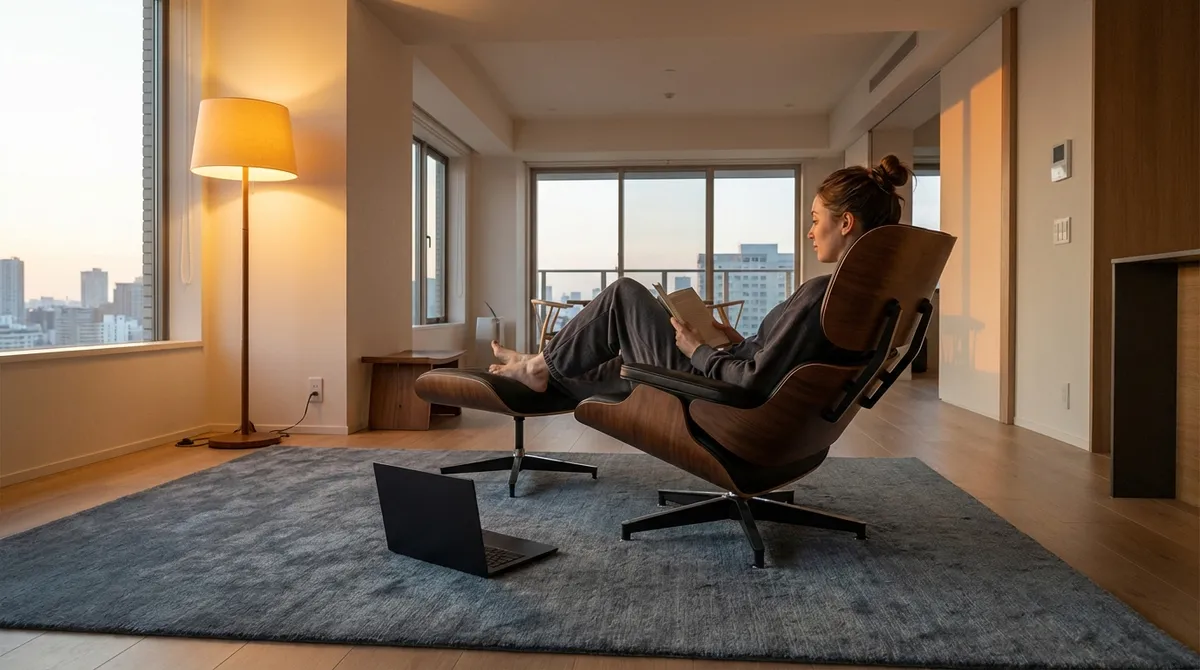
Back comfort is no longer a luxury reserved for spa days or rare weekends off; it is the quiet standard of a life designed with intention. For those who live with back sensitivity—or simply refuse to accept discomfort as “normal”—ergonomics becomes less about gadgets and more about precision: how you sit, stand, reach, read, and rest. This is not about turning your home into a clinic. It is about aligning your environment with the way your body is meant to move, so your back can exist in the background of your life, not the center of it.
In what follows, we explore ergonomics as a subtle form of daily refinement—five exclusive, often overlooked insights that speak directly to people who have already tried the basics and are ready for a higher standard of back care.
Insight 1: Micro-Posture, Not Perfect Posture
Perfect posture is an illusion—and often an unhelpful one. Holding a single “ideal” position all day, even a textbook-neutral one, simply shifts the problem: stillness is its own stressor for your spine. What your back truly needs is variation, not rigidity.
Micro-posture is the art of making small, intentional shifts within a healthy range. Instead of forcing shoulders back for eight hours, you rotate between a few well-supported positions: slightly reclined, neutral upright, and subtly leaning forward with support. Each posture is acceptable because none is permanent.
This approach is especially powerful if you already have back issues. Rather than flaring pain by chasing a rigid ideal, you create a gentle “postural portfolio” that reduces load on any single structure—disc, joint, or muscle group. A calibrated chair, an adjustable desk, and a footrest allow you to move gracefully through these micro-adjustments, turning your day into a series of small spinal resets rather than one long static demand.
Insight 2: The 90-Minute Reset—Your Spine’s Natural Rhythm
Your attention, productivity, and spinal tolerance operate on cycles. Many people with back pain notice a familiar pattern: discomfort doesn’t appear instantly; it builds, often around the 60–90 minute mark of uninterrupted sitting or standing.
Instead of battling through this window, you can design around it. The “90-minute reset” reframes breaks as strategic recalibration, not indulgence. Every 75–90 minutes, you step away for two to five minutes of intentional movement: a slow walk down the hall, a gentle hip hinge with hands on a countertop, or a controlled spinal extension while standing.
For those with recurrent back issues, this rhythm is more than a productivity hack; it’s structural protection. It encourages circulation to spinal discs, changes pressure on lumbar structures, and interrupts the quiet creep of stiffness that often leads to end-of-day pain. Aligning your schedule with your spine’s natural tolerance curve is an ergonomic upgrade that feels subtle in the moment but profound over weeks and months.
Insight 3: The Precision of Distance—Screens, Eyes, and Neck Relief
Many people obsess over chair height and lumbar cushions while ignoring one of the most decisive ergonomic details: visual distance. When your screen is too close, too far, or too low, your neck and upper back become the silent compensators, especially if you already have sensitivity.
The goal is a visual setup that allows your eyes—not your spine—to do the fine work. This means:
- The top of your screen roughly at or just below eye level.
- Viewing distance typically around an arm’s length away (often 20–28 inches), adjusted slightly for eyesight and screen size.
- Documents, tablets, or phones placed on angled stands rather than flat on the desk, so your neck isn’t perpetually flexed.
For those with chronic back or neck issues, these details are not cosmetic. When your visual field is properly aligned, your head sits more naturally over your shoulders instead of drifting forward, reducing cumulative load on cervical and upper thoracic structures. The result is a quieter neck, less upper-back fatigue, and fewer tension headaches at the end of the day.
Insight 4: The Underestimated Role of the Floor
Elegant ergonomics doesn’t begin at the desk; it begins at the floor. The point where your body meets the ground—whether through your feet or your chair’s base—determines how forces travel up your legs, hips, and spine.
For seated work, a stable, supportive floor setup means:
- Feet fully supported—flat on the ground or on a footrest—with knees at or just below hip level.
- Avoiding high stools or chairs that leave feet dangling, which can tilt the pelvis and strain the lower back.
- Considering surface firmness: excessively soft, uneven, or angled surfaces can subtly distort your alignment.
For standing work, the floor becomes even more crucial. An anti-fatigue mat, appropriate footwear, and minimal uneven surfaces can dramatically reduce lumbar and pelvic strain. For those living with back issues, this is often a hidden trigger—hours spent standing at a counter or high table on hard flooring can undo the benefits of a well-designed chair.
Treating the floor as part of your ergonomic system—rather than a neutral backdrop—is a surprisingly powerful, low-visibility upgrade for back comfort.
Insight 5: Nighttime Ergonomics—Carrying Support Into Sleep
Many people curate their desks with care but treat the bed as a passive object, assuming comfort equals support. For a back that is already vulnerable, nighttime is not just rest; it is repair. Poor sleep positioning can quietly undo the discipline of your daytime ergonomics.
Instead of chasing a single “best” mattress or pillow, think in terms of alignment continuity:
- Side sleepers often benefit from a pillow that keeps the neck in line with the spine and a small pillow between the knees to reduce lumbar twist.
- Back sleepers may find relief from a thin pillow under the knees, decreasing lumbar extension and relaxing the lower back.
- Very soft or very firm mattresses can both be problematic; many people with back pain do best on medium-firm surfaces that support natural curves without collapsing or resisting excessively.
If you wake consistently stiffer or more sore than when you went to bed, your sleep setup is providing data. Adjust one variable at a time—pillow height, mattress topper, leg support—and give each change several nights. Nighttime ergonomics is the quiet counterpart to your daytime posture strategy; both must be aligned for your back to truly settle.
Conclusion
Refined ergonomics is not about surrounding yourself with specialized equipment; it is about orchestrating your environment to cooperate with the way your spine is designed to move, rest, and recover. For people living with back issues, the difference between “tolerable” and “exceptional” comfort often lies not in dramatic interventions, but in subtle upgrades: a shift in posture philosophy, a respectful rhythm of breaks, a precise visual setup, a conscious relationship with the floor, and a thoughtful approach to sleep.
When these elements are tuned, ergonomics becomes almost invisible—a silent upgrade that allows your back to recede from the spotlight, so your attention can return to the work, conversations, and experiences that matter most.
Sources
- [National Institute for Occupational Safety and Health (NIOSH): Ergonomics and Musculoskeletal Disorders](https://www.cdc.gov/niosh/topics/ergonomics) – Overview of workplace ergonomics principles and musculoskeletal risk factors
- [Occupational Safety and Health Administration (OSHA): Computer Workstations eTool](https://www.osha.gov/etools/computer-workstations) – Detailed guidance on optimal workstation setup, including screen, chair, and input device positioning
- [Harvard Health Publishing: 4 Steps to a Healthy Back](https://www.health.harvard.edu/back-pain/4-steps-to-a-healthy-back) – Evidence-based strategies for maintaining spinal health at home and work
- [Mayo Clinic: Office Ergonomics – Your How-to Guide](https://www.mayoclinic.org/healthy-lifestyle/adult-health/in-depth/office-ergonomics/art-20046169) – Practical recommendations on chair height, foot positioning, and monitor placement
- [Cleveland Clinic: How Sleep Positions Affect Your Health](https://health.clevelandclinic.org/best-sleep-position) – Explanation of how different sleep positions influence spinal alignment and back comfort
Key Takeaway
The most important thing to remember from this article is that this information can change how you think about Ergonomics.



