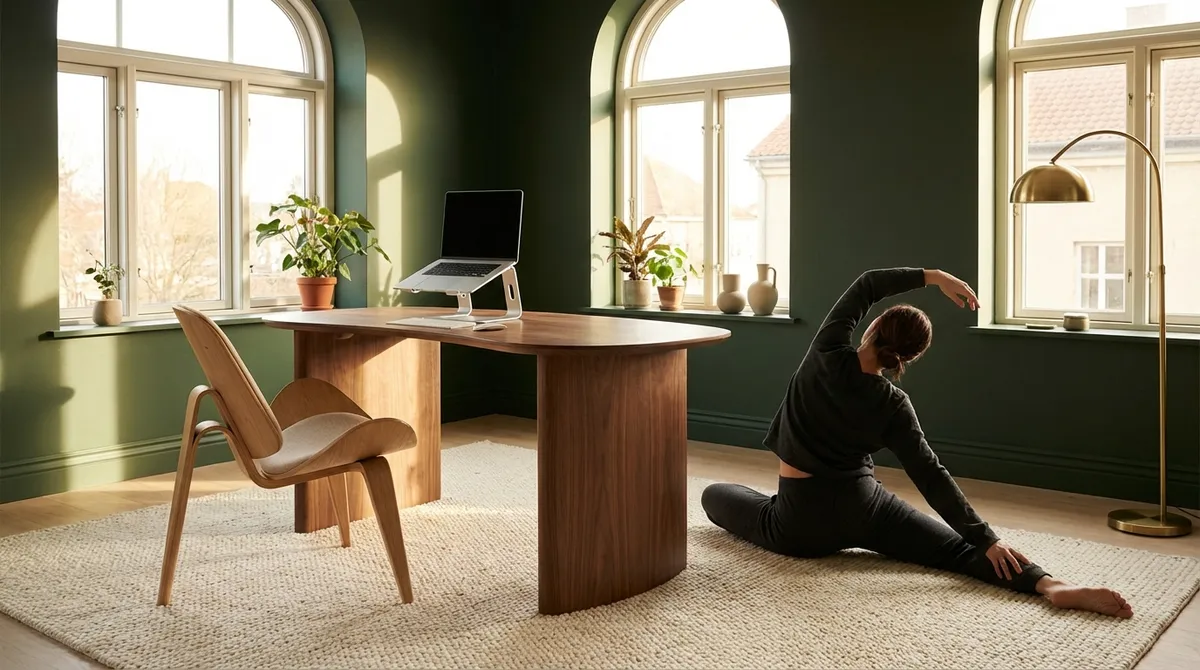
Most people treat ergonomics as a one-time purchase—a chair, a standing desk, a lumbar cushion. In reality, it’s closer to a design language: a series of deliberate choices that either whisper comfort to your spine or slowly erode it. For those already navigating back issues, ergonomics is less a trend and more a quiet, strategic form of self-preservation.
This is not about perfection. It’s about subtle refinements—small, elegant adjustments that compound into less pain, more ease, and a spine that feels intelligently supported rather than constantly negotiated with.
Below are five exclusive, often-overlooked ergonomic insights curated for those who already know what back discomfort feels like and are ready to elevate how they live with, and beyond, it.
1. Designing “Micro Zones” Instead of One Perfect Workstation
Traditional advice focuses on creating one ideal workstation. For a back already under strain, that’s too static. Your spine thrives on variety, not rigidity.
Think instead in terms of “micro zones”: two to three intentional setups throughout your home or office, each inviting a slightly different posture.
For example, you might have:
- A primary seated desk with lumbar support and armrests optimized for focused work
- A standing or leaning station for calls, reading, and lighter tasks
- A reclined, supported lounge setup for laptop use in short bursts (with a lap desk and pillows behind the mid-back, not just the neck)
Rotating between these zones every 45–90 minutes introduces gentle positional variability without sacrificing productivity. For a spine already sensitized by pain, this curated movement between postures is far kinder than locking into even the “perfect” position for hours.
The refinement is intentionality: each zone is not improvised but deliberately tuned—screen height, keyboard position, foot support, and lighting all quietly aligned to reduce strain rather than simply provide novelty.
2. Calibrating Screen Distance with Your Spine, Not Just Your Eyes
Most ergonomic advice stops at “keep the top of your monitor at eye level.” Helpful, but incomplete—especially for those with neck and upper back pain.
A more precise approach starts from the spine and works outward:
- Your pelvis sits neutrally, not tipped forward or collapsed backward
- Your ribcage is stacked over your pelvis, not drifting behind your hips
- Your head floats over your shoulders, rather than jutting forward
Only then do you position your screen so that your eyes meet it naturally, without your head chasing the content. This typically places the monitor an arm’s length away, slightly tipped back, with the top of the screen near eye height—but the exact positioning is dictated by your neutral spinal alignment, not a one-size-fits-all rule.
For laptops, an external keyboard and mouse become almost non-negotiable if you want this alignment. The screen rises to meet your eyes, rather than your spine compressing to meet the screen. This seems like a minor refinement, but for those with chronic neck or upper back discomfort, it often marks the difference between a tolerable day and one that ends in throbbing fatigue.
3. The Subtle Power of “Soft Boundaries” for Your Range of Motion
People often think of ergonomics in terms of angles—90 degrees at the knees, elbows at desk height, feet flat on the floor. A more advanced approach considers limits: how far your joints drift when you’re tired, distracted, or in pain.
“Soft boundaries” are gentle physical cues that keep your body within a spine-friendly range without feeling constrained:
- A lightly angled footrest that discourages leg crossing and posterior pelvic tilt
- Chair armrests adjusted just high enough to prevent shoulders from sinking forward
- A lumbar support that doesn’t force a rigid arch but reminds your lower back not to collapse
- A shallow cushion under the forearms at the front edge of the desk to prevent wrist drop and upper trapezius overwork
These boundaries don’t immobilize you; they guide you. They absorb the small postural drift that appears as attention wanes, so your spine isn’t constantly paying the price of your focus elsewhere.
For people managing back pain, these tiny guardrails can meaningfully lower the volume of background strain, allowing you to use your “movement budget” on intentional, restorative activity rather than compensatory fidgeting.
4. Matching Your Chair to Your Spine’s Story, Not Just Your Aesthetic
Premium chairs often come with impressive engineering and sleek visuals—but the real luxury is alignment with your specific spinal history. Two people with “back pain” can have profoundly different needs.
Consider how your chair should respond to your spine:
- For disc-related lower back issues:
A gently forward-tilting seat pan or slightly higher chair height that reduces hip flexion can decrease disc pressure. Firm, adjustable lumbar support that sits at, not above, the beltline is often more helpful than plush cushioning that allows you to sink and round.
- For facet joint or extension-sensitive pain:
Overly aggressive lumbar arches and rigid upright postures can aggravate discomfort. A chair that allows subtle posterior tilt, with a backrest that supports the mid-back and distributes weight, usually feels more sustainable.
- For upper back and neck tension:
Height-adjustable armrests that allow your forearms to rest without lifting your shoulders can significantly soften neck strain. A headrest can be beneficial—but only if it supports you in a neutral position and isn’t used as a cradle for a slumped posture.
The refined approach isn’t buying the “best” chair, but curating the right interface between chair and spine. Adjustments become intentional: every lever and dial moves with a specific, pain-informed purpose rather than curiosity alone.
5. Treating Transitions as High-Risk Moments for Your Back
Most ergonomic conversations focus on static setups and ignore the most vulnerable moments: when you transition between positions. For an already sensitive back, these transitions are often when pain flares, not while you’re simply sitting.
Consider transitions as “high-risk” periods and upgrade them with deliberate care:
- When rising from a chair, bring your feet slightly back under you, lean forward from the hips while keeping your spine long, and use armrests or thighs for support instead of jerking upright.
- When shifting from standing to sitting, reach back for the chair, hinge at the hips, and lower yourself with controlled exhalation rather than dropping into the seat.
- When moving from desk to sofa or bed, take three to five slow steps, roll the shoulders, and gently reset your posture before settling into the new position.
These details sound small, almost theatrical. But to an irritated spine, they are a profound kindness—reducing abrupt load changes and muscular bracing. Over days and weeks, the cumulative effect is a body that moves more confidently, not anxiously, through ordinary transitions.
Ergonomics, in this elevated sense, is not just about how you are in space, but how you arrive there.
Conclusion
Refined ergonomics is less about chasing the mythical “perfect posture” and more about crafting an environment that collaborates with your spine instead of challenging it. Micro zones instead of a single throne. Screen placement informed by your spine, not just a checklist. Soft boundaries to catch you when attention drifts. Seating that respects your back’s clinical history. Transitions treated as moments worthy of care, not afterthoughts.
For those already acquainted with back pain, these subtleties are not indulgences—they are intelligent, compassionate strategy. When the details of your environment are thoughtfully edited, your spine no longer has to fight the room just to get through the day. And that, in itself, is a quiet, sophisticated form of relief.
Sources
- National Institute of Neurological Disorders and Stroke – Low Back Pain Fact Sheet – Overview of low back pain mechanisms, risk factors, and approaches to management.
- Mayo Clinic – Office Ergonomics: Your How-To Guide – Practical guidance on workstation setup and posture, including chair, desk, and monitor adjustments.
- Harvard Health Publishing – Proper Posture: How to Balance Your Body – Explains the relationship between posture, spinal alignment, and musculoskeletal strain.
- Occupational Safety and Health Administration (OSHA) – Computer Workstations eTool – Detailed, evidence-informed recommendations for ergonomic design of computer work environments.
- Cleveland Clinic – Ergonomics: How to Make Your Workstation More Comfortable – Clinician-reviewed tips on workstation ergonomics and adaptations for people with pain.
Key Takeaway
The most important thing to remember from this article is that this information can change how you think about Ergonomics.



