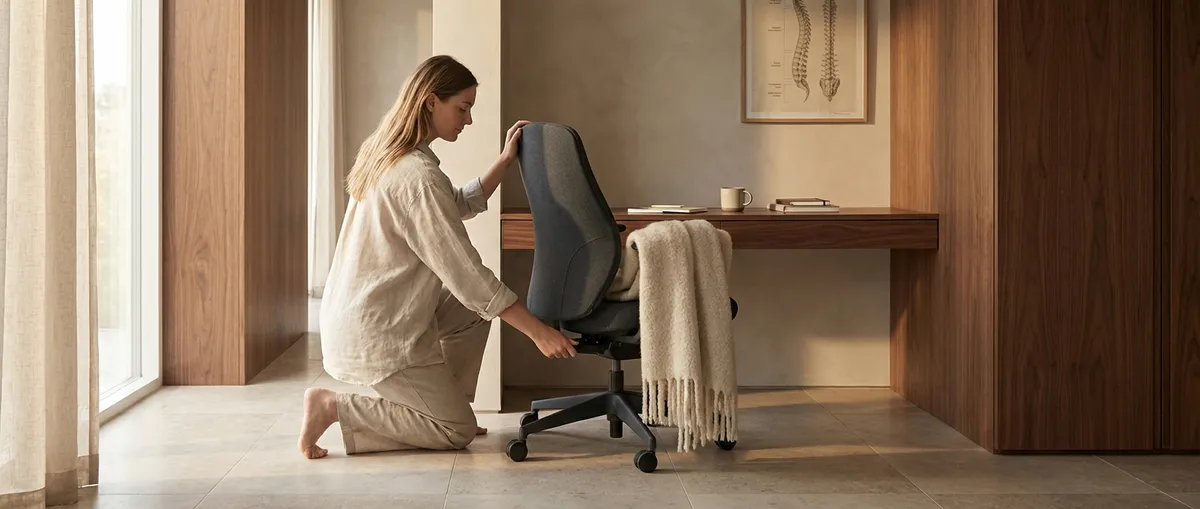
Back discomfort rarely appears out of nowhere. It is almost always the quiet sum of a thousand small compromises—how we stand, how we reach, how we work, how we rest. Ergonomics, at its most elevated, is not about gadgets or gimmicks; it is about cultivating an environment that behaves as thoughtfully as you wish your back would feel. This is a practice of refinement—of angles, rhythms, and micro‑adjustments that transform ordinary routines into a form of subtle back care.
Below are five exclusive, quietly powerful insights that move beyond generic “sit up straight” advice. Each is designed for those who demand more from their environment—and from their spine.
Insight 1: Treat Your Spine as a Moving Axis, Not a Fixed Column
A sophisticated ergonomic setup does not freeze you in “perfect posture.” Instead, it honors the spine as a dynamic axis designed for gentle, frequent motion.
Most advice focuses on a single correct sitting position. Yet modern research emphasizes postural variability—changing positions regularly—over rigidity. When you lock your spine into one “ideal” pose for hours, muscles fatigue, joints compress, and discomfort accumulates.
Cultivate an environment that allows and even invites movement:
- Use chair features (recline, seat tilt, armrest height) as dynamic tools, not static settings. Adjust them several times a day.
- Alternate between slight recline, upright, and perch-like sitting rather than “holding” one textbook posture.
- Think of your spine like a pendulum anchored at the pelvis; subtle shifts forward, back, and side to side are not fidgets to suppress but micro‑movements to encourage.
- When standing, let your weight migrate gracefully between legs rather than locking knees and “standing at attention.”
The measure of a refined ergonomic arrangement is not how still you can remain, but how quietly and comfortably you can move.
Insight 2: The 90–110 Rule: Curating Angles That Indulge Your Back
Exceptional ergonomics is, in many ways, an art of angles. When you align key joints within a luxurious “comfort window,” your back expends less effort simply holding you together.
A practical framework is the 90–110 rule—maintaining most of your working angles somewhere between 90 and 110 degrees:
- Hips: Aim for the hips to be at, or slightly above, knee height. A hip angle closer to 100–110 degrees (a gentle open posture, not sharply bent) reduces disc pressure compared with a deep, compressed sit.
- Knees: Around 90 degrees, with the feet fully supported. Avoid chairs that leave your feet dangling or force you onto tiptoe.
- Elbows: Resting at roughly 90 degrees or slightly more open when typing, with forearms lightly supported, prevents the shoulders from creeping upward and straining the upper back.
- Backrest: A modest recline (100–110 degrees) with lumbar support softly contacting the natural curve of your lower back helps distribute load more evenly across the spine.
Think of these angles as a luxury fit for your body—like a tailored garment. They are not rules to obey rigidly, but a refined starting point to be tuned to your frame, your height, and your comfort. Small adjustments of 5–10 degrees can matter profoundly when maintained for hours each day.
Insight 3: The Quiet Power of Micro-Break Rituals
The most expensive chair in the world cannot compensate for hours of unbroken stillness. Micro-breaks are where ergonomics shifts from furniture to behavior—and this is where many discerning back‑care routines truly distinguish themselves.
Rather than dramatic, disruptive pauses, think in elegant micro-interventions:
- Every 25–40 minutes, briefly stand, change posture, or take 3–5 slow steps.
- Introduce a 30–60 second “unwind sequence”: gentle shoulder rolls, a slow neck turn, a subtle arch and release of the lower back.
- Use environmental cues—phone calls, calendar alerts, or email sends—as triggers to gently move, not just to mentally switch tasks.
- When standing up, avoid shooting directly from a deep slump. First, re‑stack your spine (sit up, bring feet under you, engage lightly through your core), then stand with control.
Evidence suggests that short, frequent movement breaks are more effective for comfort and metabolic health than rare, longer breaks. The refined approach is not to occasionally “escape” your chair; it is to weave frequent, nearly invisible resets into your workday.
Insight 4: Light, Screens, and the Subtle Chain that Reaches Your Spine
Ergonomics is often reduced to chair height and keyboard placement. Yet for many people with back issues, the real culprit is visual strain that cascades down the spine.
When screens are too low, too dim, too bright, or poorly positioned, your body reflexively adapts: the head juts forward, the shoulders round, and the upper back bears the cost. Elegant ergonomics treats the visual environment as back care, not merely aesthetics.
Consider refining:
- Screen height: The top of the main monitor should sit at or slightly below eye level, with the center of the screen about 15–20 degrees below horizontal gaze. This reduces neck flexion and forward head posture.
- Viewing distance: Keep your screen roughly an arm’s length away; closer distances encourage you to lean forward.
- Glare and lighting: Position screens perpendicular to windows when possible; avoid strong reflections that make you crane forward to read subtle text.
- Font and contrast: Slightly larger fonts and clear contrast are not indulgences; they are spinal investments. If you must lean in to decipher text, your back is paying for every sentence.
By curating a visual field that is easy to perceive in a neutral head position, you effectively “pay forward” comfort to your neck and upper back all day long.
Insight 5: Align the Whole Routine, Not Just the Workspace
Premium back care does not end at the edge of the desk. The most thoughtful ergonomic adjustments can be unraveled by a sofa that swallows you whole, a mattress that no longer supports, or a commute that compresses your spine daily.
Refinement means continuity—ensuring that the major stages of your day coexist gracefully with your back:
- Commute: Adjust the car seat so your hips are level with or slightly above knees; bring the seat closer so you’re not reaching for the wheel. A small lumbar support roll can transform longer drives.
- Leisure seating: Deep, slouch‑inducing couches can be counterbalanced with a firm cushion behind the lower back and a footrest to keep knees comfortable. If you consistently “fold” into your seat, the back will remember.
- Sleep environment: A supportive, medium-firm mattress and a pillow that keeps the neck aligned with the rest of the spine are non-negotiable components of a back-conscious lifestyle. Prolonged poor alignment at night undermines even the best daytime ergonomics.
- Transitions: Pay attention to how you move between positions—getting out of bed, rising from a low sofa, lifting shopping bags. These transitions are micro‑moments where rushed, careless movement can irritate already sensitive tissues.
When each element of your routine is quietly tuned to honor your spine, ergonomics evolves from a single “setup” into a lived philosophy of care.
Conclusion
Elevated ergonomics is not about surrounding yourself with the latest accessories; it is about crafting an ecosystem that respects the architecture and preferences of your spine. By treating your back as a moving axis, curating angles with intention, weaving in graceful micro‑breaks, optimizing the visual environment, and aligning the entire rhythm of your day, you transform ordinary habits into a sophisticated back‑care practice.
Over time, this refinement becomes almost invisible—your workspace, your home, your commute all begin to feel as though they were designed with your spine in mind. That is the true promise of premium ergonomics: not grand gestures, but the quiet luxury of a back that is simply allowed to be at ease.
Sources
- [NIOSH – Simple Solutions: Ergonomics for Office Workers](https://www.cdc.gov/niosh/docs/2004-164/default.html) - U.S. CDC/NIOSH guidance on office ergonomics, workstation setup, and posture considerations
- [Mayo Clinic – Office Ergonomics: Your How-to Guide](https://www.mayoclinic.org/healthy-lifestyle/adult-health/in-depth/office-ergonomics/art-20046169) - Practical medical guidance on desk height, chair adjustment, and monitor positioning
- [Harvard Health Publishing – Is Sitting Bad for You?](https://www.health.harvard.edu/staying-healthy/is-sitting-bad-for-you) - Overview of health risks associated with prolonged sitting and the value of movement breaks
- [Occupational Safety and Health Administration (OSHA) – Computer Workstations eTool](https://www.osha.gov/etools/computer-workstations) - Detailed federal ergonomics recommendations for computer users
- [Cleveland Clinic – How to Improve Your Posture](https://health.clevelandclinic.org/how-to-improve-your-posture) - Clinician-backed advice on postural habits and alignment for spine comfort
Key Takeaway
The most important thing to remember from this article is that this information can change how you think about Ergonomics.



