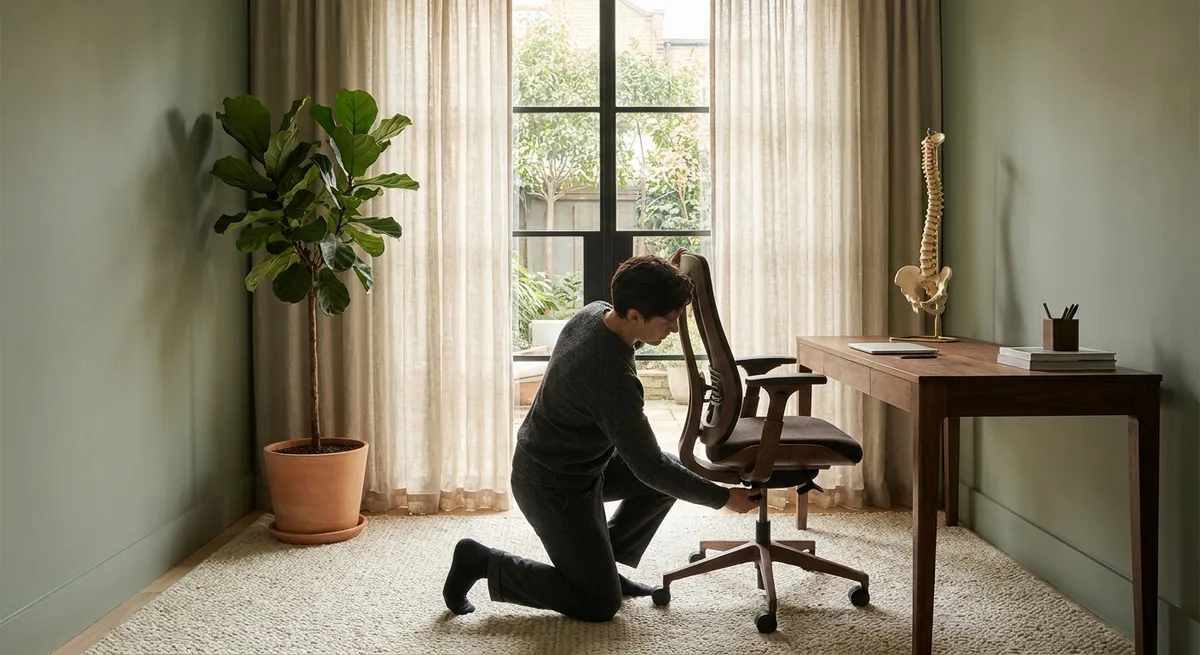
Back pain is rarely chaotic. More often, it is the quiet consequence of thousands of small, unexamined choices. For those who demand excellence from their work and their environment, ergonomics is not a buzzword; it is a design language—one that can either support a composed, capable body or slowly erode it. This is ergonomics for those who appreciate detail, discretion, and long-term integrity in how they sit, stand, move, and think about their spine.
Ergonomics as Spatial Strategy, Not Just Chair Selection
Most ergonomic advice begins and ends with the chair. In reality, your chair is only one element in a broader spatial strategy that either collaborates with your spine or conspires against it.
Consider your workspace as a three-dimensional map of forces acting on your body. The distance to your monitor, the angle of your keyboard, the reach to your mouse, even where you place your frequently used notebook—all of these shape how your spine organizes itself over hours. The goal is not a throne-like chair, but a space that quietly invites alignment and discourages strain.
Position your primary screen so that the top of the display is at or slightly below eye level, at roughly an arm’s length away. Bring objects of frequent use—phone, pen, notebook—within a relaxed forearm’s reach so that you are not repeatedly twisting or leaning. View your chair as part of a system: its height should allow your feet to rest flat, your hips to sit slightly above knee level, and your spine to rest against the backrest with minimal effort. When the entire space is orchestrated around your body, comfort becomes a natural outcome rather than a forced posture.
Insight 1: Micro-Alignment—The Subtle Luxury of Precision
For those managing back issues, “sit up straight” is an unhelpful command. Precision matters far more than rigidity. Micro-alignment is the practice of making small, exacting adjustments that reduce strain without demanding heroic effort.
Start with your pelvis, not your shoulders. A slight anterior tilt—where you feel your weight on the sitting bones, not on the tailbone—allows your lower back to retain its natural curve. From there, imagine lengthening the spine upward rather than pulling the shoulders back. Your shoulders should rest easily over your ribs, not be pinned behind them.
These refinements may shift your posture by only a few degrees, but over days and years, those degrees determine whether your back is quietly supported or constantly compensating. If you have back pain, think of micro-alignment as bespoke tailoring for your spine: subtle, individualized, and transformational in its comfort.
Insight 2: The “Movement Signature” of Your Workday
Ergonomics is often framed as the pursuit of stillness—find the perfect position, then hold it. Paradoxically, stillness can be corrosive for a compromised back. What matters is not simply how you sit or stand, but the “movement signature” of your day: the pattern of motions, pauses, and transitions your body performs.
Rather than obsess over a single ideal posture, treat your day as a series of gentle, deliberate variations. Alternate between sitting and standing if your setup allows. When seated, shift your weight occasionally from one sitting bone to the other, subtly rotate your pelvis, and change where your feet rest. When standing, alternate which foot bears slightly more weight and change your stance width periodically.
Set discrete, elegant cues: take a few spine-friendly movements every time you complete a meeting, send a major email, or finish a focused work block. Over time, your back experiences not one posture for eight hours, but a curated range of tolerable positions that prevent any single structure from being overloaded.
Insight 3: The Understated Influence of Visual Ergonomics
Vision may not seem like a back-care topic, yet the way your eyes engage with screens and documents profoundly shapes your posture. Back pain often begins in the neck, and neck strain often begins with the eyes working too hard.
If text is too small or poorly contrasted, you will unconsciously lean forward and crane your neck toward the screen. If the monitor is too high, you subtly extend the neck; too low, and the head drifts forward, shifting significant load onto the cervical spine. Over time, this cascades into upper- and mid-back tension.
Simply increasing text size, choosing high-contrast display settings, and aligning your primary monitor directly in front of you can spare your spine thousands of micro-strains every day. If you work from multiple screens, identify one as your “postural anchor”—the one you face directly—and arrange secondary screens so your neck rotation remains modest, not extreme. Protecting your back sometimes begins with being kind to your eyes.
Insight 4: The Deliberate Use of Support—Not a Crutch, but a Collaboration
For many with back issues, there is a quiet guilt around lumbar rolls, footrests, or supportive cushions—as if using them signals weakness. In a refined ergonomic strategy, targeted support is not indulgence; it is intelligent collaboration with your anatomy.
A well-positioned lumbar support (built-in or external) should meet the natural curve of your lower back, not aggressively push it forward. The goal is to allow your spine to rest, not to force it into exaggerated extension. For some, a slight increase in seat height paired with a footrest yields immediate relief by opening the hip angle and reducing pressure on the lower spine.
If you stand to work, a subtle, firm anti-fatigue mat can help distribute pressure and encourage micro-movements in the feet and ankles, which in turn reduces lower back fatigue. Think of these elements as the equivalent of a well-designed insole in a luxury shoe: invisible to others, unmistakable in how it changes your experience.
Insight 5: Rituals of Reset—Intelligent Pacing for a Demanding Spine
Back pain rarely demands grand gestures; it asks for consistency. The most sophisticated ergonomic setups are diminished if the day is an unbroken stretch of static work. What distinguishes a truly back-conscious professional is the integration of small, repeatable rituals that reset tension before it accumulates.
Design elegant, time-efficient resets you can perform without calling attention to yourself. While seated, gently roll your shoulders through a small range, or softly tuck and untuck your chin to lengthen the back of the neck. Stand for thirty seconds after a long call and subtly shift your pelvis forward and backward. Place a hand on your lower ribs and imagine breathing into that space to soften upper-back tension.
Align these rituals with your workflow, not with alarms you are likely to ignore. Each calendar reminder, meeting transition, or coffee break becomes a cue. Viewed this way, your workday is not something you must endure despite your back; it becomes a structured collaboration between your responsibilities and your spine’s very real needs.
Conclusion
Ergonomics for the refined spine is not about perfection, gadgetry, or rigid rules. It is about cultivating a workspace and a set of micro-habits that quietly respect the architecture of your body. When you treat your posture, your tools, and your movements as elements of a considered whole, your back is no longer an afterthought—it becomes an asset: stable, composed, and capable of carrying the life you have built.
The most powerful change is rarely the most dramatic. It is the sum of minor adjustments, made deliberately, and sustained over time. For those who live and work at a demanding pace, that kind of quiet precision is not a luxury; it is a form of long-term self-respect.
Sources
- National Institute of Neurological Disorders and Stroke – Low Back Pain Fact Sheet - Overview of causes, risk factors, and management of low back pain
- Mayo Clinic – Office Ergonomics: Your How-To Guide - Practical guidance on workstation setup and posture
- Occupational Safety and Health Administration (OSHA) – Computer Workstations eTool - Detailed federal guidance on ergonomic principles for computer-based work
- Harvard Health Publishing – How to Sit at Your Desk Correctly - Evidence-informed recommendations for sitting posture and workstation adjustments
- National Institutes of Health – Musculoskeletal Disorders and Computer Work - Research review on computer use, posture, and musculoskeletal complaints
Key Takeaway
The most important thing to remember from this article is that this information can change how you think about Ergonomics.



