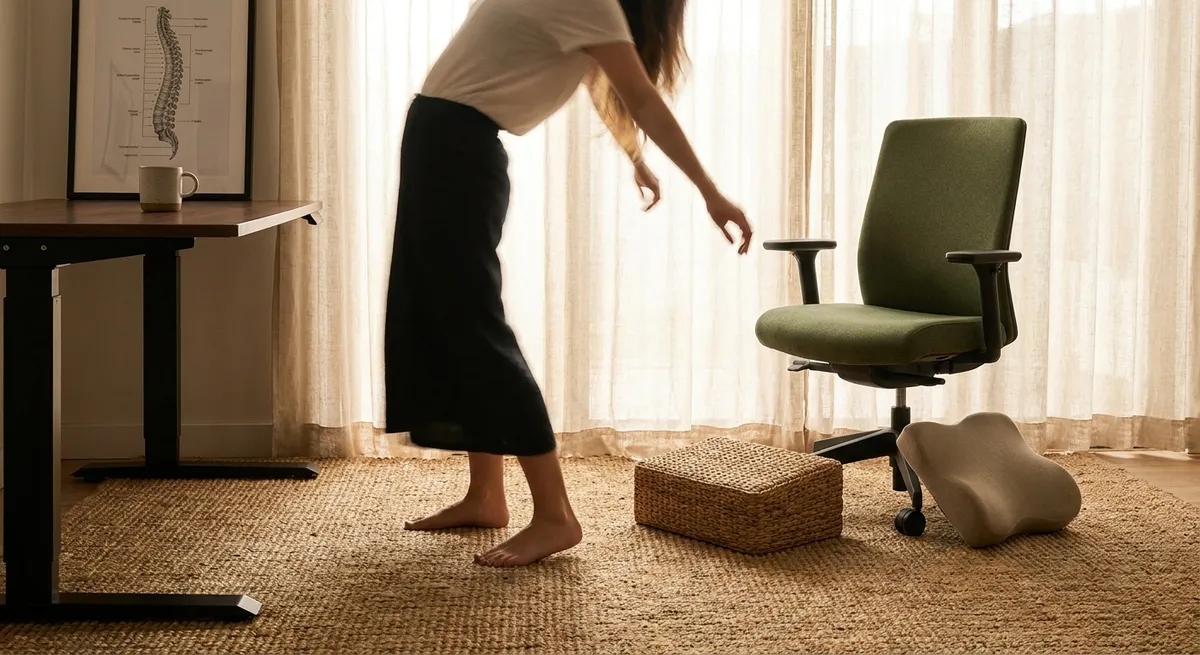
In an age where much of life is conducted from a chair, ergonomics has become less a technical specialty and more an expression of how one chooses to live in their body. For those managing back issues, the workspace is no longer just a backdrop to productivity; it is a daily negotiation with comfort, function, and long-term spinal health. Thoughtful ergonomic decisions can turn that negotiation from a struggle into a quiet collaboration, where each element of your environment reinforces ease rather than tension.
This is not about chasing the latest gadget or trend. It is about understanding how subtle refinements in posture, positioning, and setup can materially change the way your back feels at the end of the day—and ten years from now. Below are five exclusive, often overlooked insights that can help you cultivate a more composed, back-conscious workstation.
Insight 1: Your Spine Prefers a Path, Not a Pose
The traditional vision of “perfect posture” suggests a rigid, unmoving stance—shoulders pinned back, back bolt upright, feet at attention. For anyone living with back issues, that kind of stiffness is not only unrealistic; it can be counterproductive.
Modern ergonomic research increasingly emphasizes dynamic sitting: allowing the spine to move subtly throughout the day while remaining broadly aligned. Think of your spine less as a statue and more as a well-engineered suspension bridge—stable, yet designed to flex and adapt.
Practical refinements include:
- Selecting a chair that allows slight recline (approximately 100–110 degrees), which reduces disc pressure compared with a strict 90-degree hip angle.
- Alternating between upright, slightly reclined, and forward-leaning positions that remain supported, rather than slumping from fatigue.
- Using lumbar support not to “force” your back into a shape, but to quietly meet the natural curve of your lower spine. The support should feel like a gentle presence, not a wedge.
The goal is not a single, flawless posture but a curated range of postures that your spine can inhabit comfortably and sustainably.
Insight 2: The Screen Is Quietly Dictating Your Neck—and Your Back
Many people think of ergonomics in terms of chairs and desks, yet for office workers, the monitor (or laptop) often exerts the greatest pull on posture. If the screen is too low, too far, or off-center, your body will unconsciously reorganize itself around it—often at the expense of your back.
For individuals with neck, upper back, or shoulder issues, the vertical position of the screen is especially critical. Ideally, the top of the screen should align near eye level, with the center of the screen slightly below your direct gaze. This allows your head to remain balanced over your spine, rather than drifting forward.
Additional considerations that matter more than they appear:
- Viewing distance: Roughly an arm’s length from your eyes is a useful benchmark. If the text is too small at that distance, adjust the font or display scaling instead of leaning in.
- Screen alignment: The monitor should be centered directly in front of you, not off to one side, to avoid repeated rotation of the spine and neck.
- Multi-screen setups: If you rely heavily on one screen, it should be directly ahead; secondary screens should be placed symmetrically or used less intensively.
This subtle rebalancing can significantly reduce the “tech neck” posture that cascades into mid-back strain, headaches, and shoulder tightness.
Insight 3: The Desk Edge Is a Silent Culprit in Upper Back and Shoulder Tension
One of the most underrated ergonomic details is the relationship between your forearms and the edge of your desk. A sharp or poorly placed edge can encourage you to hover your arms, elevate your shoulders, or round your upper back, all of which place extra demand on already sensitive spinal structures.
For refined upper-body comfort, pay attention to:
- Arm support: Your forearms should be lightly supported, either by the desk surface or ergonomically designed armrests. This reduces the load on your shoulders and upper back.
- Desk depth: A deeper desk allows your keyboard and mouse to sit farther from the edge, giving your forearms room to rest while keeping your elbows close to your body.
- Edge softness: A beveled or rounded desk edge, or a soft desk pad, can prevent localized pressure at the wrists and forearms, encouraging a more natural, relaxed posture.
If your shoulders tend to creep toward your ears by midday, the way you interface with the desk itself—rather than the chair—may be the missing ergonomic refinement.
Insight 4: Foot Contact Shapes the Entire Spine
Back care discussions often focus on what happens above the waist, but your relationship with the floor substantially influences spinal alignment. When your feet lack stable contact, your body compensates upward: your hips shift, your pelvis tilts, and your lower back begins to carry asymmetrical load.
For those managing low back pain, creating a grounded lower body can be transformative:
- Hip height: Ideally, your hips should sit level with or slightly above your knees, allowing your pelvis to rest in a neutral, balanced position.
- Foot support: Both feet should rest fully and comfortably on a solid surface. If your chair height is set to align you properly with your desk but your feet no longer reach the floor, a footrest (or a stable, secure platform) becomes essential, not optional.
- Leg symmetry: Crossing one leg over the other or tucking a foot under you may feel momentarily comfortable but often encourages spinal rotation and pelvic tilt over time.
Think of your feet as the foundation of a building: small irregularities at the base can manifest as structural strain throughout the floors above—your knees, hips, and spine.
Insight 5: Micro-Breaks Are More Powerful Than Marathon Stretch Sessions
Many people with back issues try to “undo” eight or ten hours of static work with a single intense exercise session or stretching routine. While movement is undeniably beneficial, the spine generally prefers frequent, modest variation to rare, heroic efforts.
From an ergonomic standpoint, this means designing your day around micro-adjustments:
- Standing briefly every 30–60 minutes, even for 60–90 seconds, can significantly reduce spinal loading and stiffness.
- Incorporating purposeful posture resets—such as gently lengthening the spine, rolling the shoulders, or shifting weight in the pelvis—keeps your back from “locking” into a single position.
- Taking phone calls standing or walking, reviewing printed documents away from the screen, or combining hydration breaks with posture changes builds movement into tasks you already perform.
When combined with a well-considered workstation, these micro-breaks create an environment where your back is no longer forced to endure long, static stretches of tension. Instead, it is given a rhythm—work, adjust, release—that respects the biology of the spine.
Conclusion
Ergonomics, at its most thoughtful, is less about equipment and more about relationships: how your body relates to your chair, your screen, your desk, the floor, and the rhythms of your workday. For those living with back issues, these relationships deserve the same care and discernment one might bring to any other long-term investment.
By shifting from a mindset of “enduring” the workday to one of curating it, you allow each ergonomic detail—monitor height, desk edge, foot support, posture variation—to contribute to a calmer, more cooperative spine. Over time, these seemingly modest refinements accumulate into something substantial: not just fewer pain flares, but a daily experience of work that feels more composed, more sustainable, and distinctly more humane.
Sources
- National Institute for Occupational Safety and Health (NIOSH) – Computer Workstations eTool – Detailed guidance on workstation setup, including monitor, chair, and desk positioning
- Mayo Clinic – Office ergonomics: Your how-to guide – Practical recommendations for healthy sitting posture and workspace arrangement
- Occupational Safety and Health Administration (OSHA) – Computer Workstations – Evidence-based ergonomic principles and checklists for computer-based work
- Harvard Health Publishing – The truth about sitting – Discussion of prolonged sitting, movement breaks, and implications for back health
- Cleveland Clinic – Proper Workplace Ergonomics – Clinician-reviewed overview on reducing musculoskeletal strain at work
Key Takeaway
The most important thing to remember from this article is that this information can change how you think about Ergonomics.



