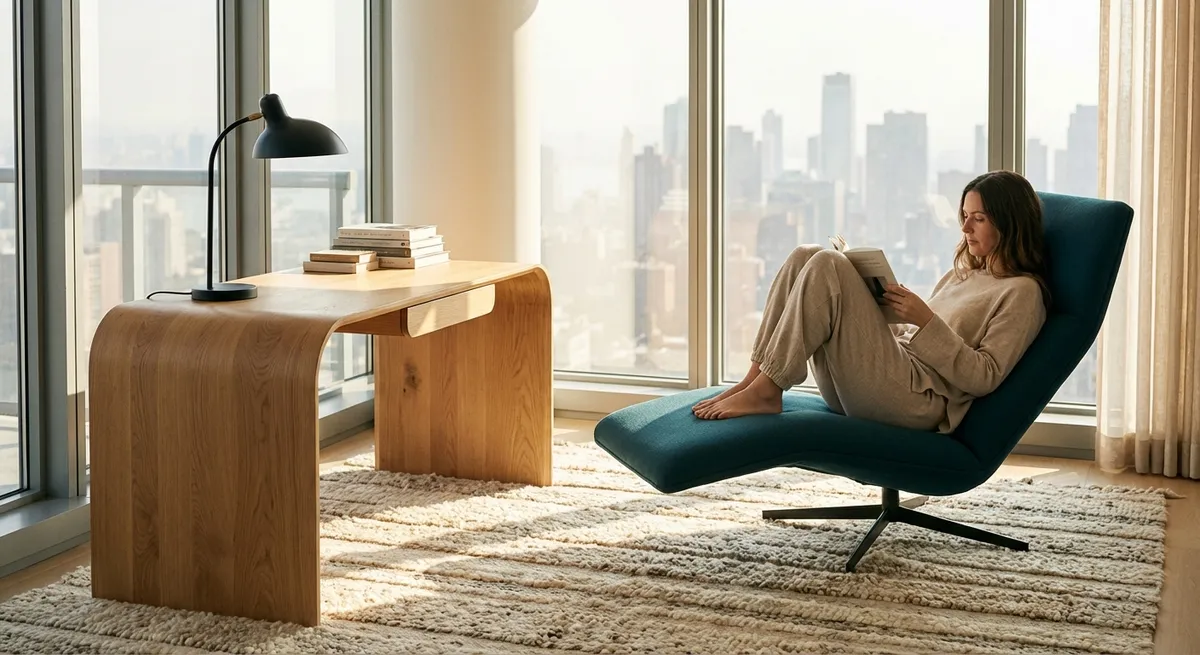
Modern life invites us to sit for hours, yet very little about the way we sit is deliberate. Chairs are purchased as décor, desks as afterthoughts, and our backs are left to negotiate the consequences. Ergonomics, when approached with discernment, becomes less about gadgets and more about the quiet architecture of how we inhabit space. For those who already know what it means to live with a demanding back, refinement matters: the angle of a screen, the depth of a seat, the way the floor receives your feet.
This is ergonomics not as office jargon, but as an elevated daily practice—a curated environment that respects the spine as the central column of your life.
Ergonomics as Spatial Tailoring, Not Furniture Shopping
Most ergonomic advice begins with “buy a better chair.” In reality, the chair is only one element in a carefully tailored spatial ensemble. The aim is to choreograph relationships: between your body, your work surface, your visual field, and the ground.
Consider your setup less as objects and more as proportions:
- Your hips should sit slightly above your knees, allowing the pelvis to tilt gently forward rather than collapse into a slouch.
- The backrest should meet the curve of your lower spine, not float behind your ribs.
- Your elbows should hover close to your torso, forming roughly a right angle when your hands rest on your keyboard.
- Your eyes should meet the upper third of your screen without your neck craning forward or tipping back.
Instead of asking, “Is this chair ergonomic?” ask, “Does this arrangement let my spine stack easily, my breath move freely, and my shoulders rest without negotiation?” True ergonomics is not an object; it is a tailored relationship between your body and its environment.
Insight 1: Treat Your Spine Like a Precision Instrument, Not a Workhorse
Pain often begins when we treat the spine as an unlimited resource—a structure that can be folded, twisted, and compressed without consequence. A more elevated approach is to regard the spine as a precision instrument that demands consistent calibration.
This means eliminating what might be called “casual collapse”: the barely noticeable slouch that creeps in during emails, video calls, or scrolling. A refined setup makes good posture the path of least resistance, rather than an act of willpower.
Practical applications of this principle:
- Use the backrest intentionally. Allow it to support you instead of hovering forward over your keyboard.
- Position your screen so that your head can rest directly over your shoulders—no protruding chin, no downward droop.
- Choose surfaces at the correct height, so you’re not perpetually leaning forward to reach the keyboard or trackpad.
Precision here is not rigidity. A well-supported spine should feel effortless, not militaristic. Comfort should feel clean and stable, not indulgent or collapsed.
Insight 2: Micro-Shifts Over Marathon Stretches
The body does not rebel against sitting alone; it rebels against being held in any single position for too long. A common misconception is that one “perfect posture” will solve everything. In practice, dynamic variation is more therapeutic than static perfection.
Instead of relying on a single long stretch session at the end of the day, cultivate continuous micro-shifts:
- Every 20–30 minutes, subtly change something: shift your weight, slightly alter your seat depth, adjust your backrest angle, or place one foot slightly forward.
- Stand for a few minutes while reading a document or taking a call.
- Use sitting, perched sitting (slightly higher with open hip angle), and standing as three distinct modes rather than one default.
These refined micro-adjustments keep your muscles from locking into protective patterns and your joints from stiffening. From your spine’s point of view, the best posture is the next posture.
Insight 3: Curate the Ground First: Foot Contact as a Hidden Stabilizer
Many ergonomic discussions begin at the chair and end at the screen, quietly skipping the most underappreciated player: the floor.
Your feet are the foundation of your seated posture. When they are unsupported—tucked behind the chair, crossed, or dangling—the rest of the body compensates, often at the expense of your lower back.
Elevated practice means:
- Ensuring the soles of your feet rest fully and firmly on a stable surface. If your chair height does not allow this, a quality footrest becomes non-negotiable, not optional.
- Distributing weight across the whole foot—not just the heels—encourages the pelvis and spine to stack more naturally.
- Avoiding habitual leg crossing, which subtly rotates the pelvis and can introduce asymmetrical stress up the spine over long periods.
Care for the ground contact, and the spine above it often organizes with much less effort. Elegant ergonomics begins from the floor upward.
Insight 4: Light, Vision, and the Subtle Strain of “Leaning Into the Work”
Spinal tension is not only mechanical; it is also perceptual. When the screen is dim, text is small, or glare is persistent, the body instinctively leans “into” the task. The neck cranes, the mid-back rounds, and the shoulders hike closer to the ears.
Those living with a sensitive back are often unusually responsive to these subtle visual irritants.
To refine your visual ergonomics:
- Adjust text size and contrast so reading feels intrinsically easy, not effortful. You should not feel the urge to move your head closer to the screen.
- Align your primary screen directly in front of you. Repeatedly turning to one side for a secondary monitor, day after day, can quietly provoke neck and upper-back complaints.
- Soften overhead glare and backlighting. Reflections force micro-squinting and forward head posture that accumulates over time.
Ergonomic excellence extends beyond angles and cushions to the quality of what you are looking at and how hard your body must work just to see.
Insight 5: Make Comfort Measurable, Not Vague
“Comfortable enough” is an imprecise standard, and vague comfort often hides early warning signals until they become louder pain. A premium approach to back care involves cultivating a more granular awareness of your body’s responses to your environment.
Instead of a binary “fine” or “not fine,” assess your setup with more refined questions:
- How does your lower back feel after 60 minutes in this position—heavy, tight, neutral, or quietly supported?
- Do your shoulders feel broader and softer, or slightly encroaching toward your ears?
- When you stand up, do you feel gracefully upright, or as though you are unfolding from a crumpled position?
These micro-assessments help you adjust before your body begins to complain more loudly. Over time, you become your own ergonomist, capable of recognizing small mismatches in height, angle, or support long before they manifest as full-blown discomfort.
Premium ergonomics is not about indulgence; it is about precision and responsiveness.
Conclusion
Ergonomics, approached with intention, is less about trendy chairs and more about a quietly intelligent alignment between body, space, and task. For those who live with a demanding back, the details are not luxuries; they are the architecture of daily ease.
Treat your spine as a precision instrument. Let your feet ground you. Invite movement into your day as a series of subtle shifts rather than heroic fixes. Curate what you see and how you see it. And above all, measure comfort with the same discernment you would apply to any other aspect of a well-designed life.
Back care, at its most refined, is not a one-time adjustment but an ongoing dialogue with your environment—one in which your spine, finally, is given the last word.
Sources
- National Institute for Occupational Safety and Health (NIOSH): Ergonomics and Musculoskeletal Disorders - Overview of ergonomic principles and how work-related setups affect musculoskeletal health
- Occupational Safety and Health Administration (OSHA): Computer Workstations eTool - Detailed guidance on optimal workstation arrangements, including chair, monitor, and keyboard positioning
- Mayo Clinic: Office Ergonomics—Your How-To Guide - Practical, medically reviewed advice on adapting your workspace to reduce back and neck strain
- Harvard Health Publishing: Sitting and Back Pain - Discussion of how prolonged sitting affects spinal health and strategies to reduce discomfort
- Cleveland Clinic: Ergonomics—Basics and Importance - Explanation of ergonomic fundamentals and their role in preventing back and neck problems
Key Takeaway
The most important thing to remember from this article is that this information can change how you think about Ergonomics.



