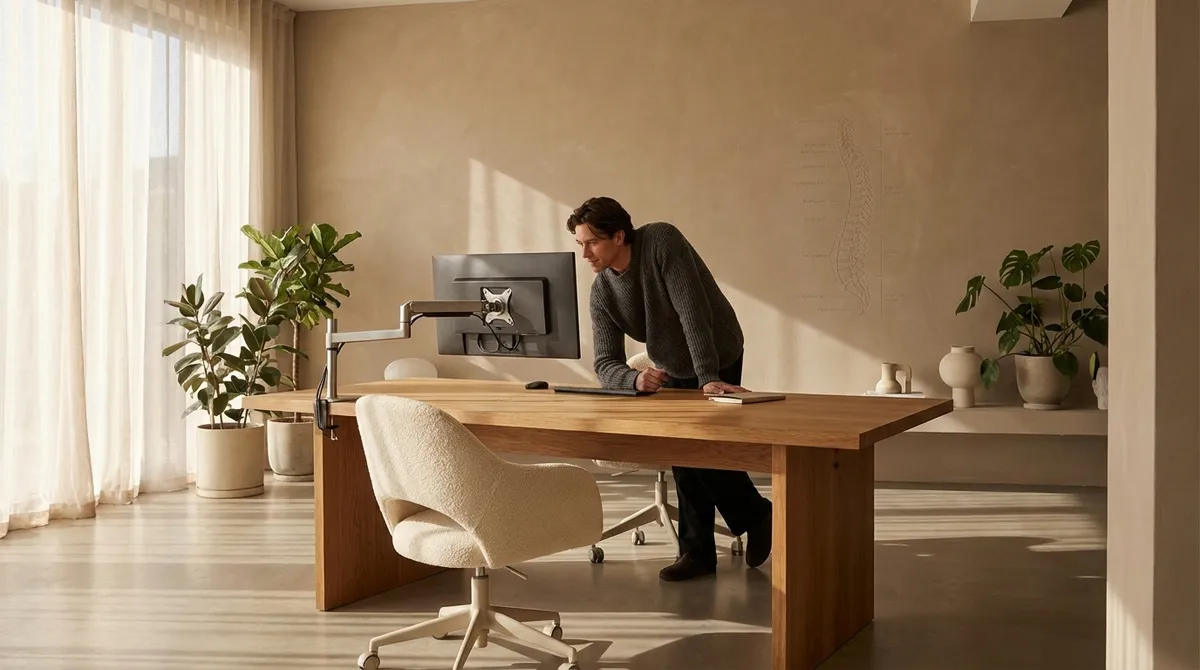
Back pain rarely arrives as a dramatic event. More often, it is curated over months and years—through chairs that almost fit, desks that are nearly right, and postures that are good enough. Elegant ergonomics is about moving far beyond “good enough” and shaping an environment that quietly protects your spine with every email, every meeting, every deadline.
This is where ergonomics stops being a technical checklist and becomes a form of refined self-respect: the artful alignment of chair, desk, device, and body so your spine no longer pays the hidden cost of your productivity.
Below are five exclusive, nuanced insights for those who are already familiar with the basics—and are ready to elevate their back care to a more sophisticated standard.
Insight 1: Think in Micro-Distances, Not Just Angles
Many ergonomic guides obsess over angles: 90 degrees at the hips, elbows, and knees. While those are useful benchmarks, they miss a crucial dimension—micro-distances.
Subtle shifts of just a few centimeters can dramatically affect spinal load. The distance from your eyes to your screen, from your sacrum to the backrest, from your elbows to the desk edge, all change how your deep postural muscles must work to keep you upright.
A few refined adjustments to consider:
- Screen distance and height: Aim for your monitor to be roughly an arm’s length away, with the top third of the screen at or slightly below eye level. If you wear progressive lenses, slightly lower the monitor to avoid chronic neck extension.
- Sacral support distance: Sit so your pelvis is fully cradled by the chair’s backrest. A 2–3 cm gap between the small of your back and the lumbar support is often enough to undermine it.
- Desk edge clearance: Keep your torso close enough to the desk that your shoulder blades can remain relaxed, with elbows stacked under shoulders, not drifting forward.
The refinement here is simple: once your basic setup is “correct,” move each element by 1–2 cm at a time and observe how your spine feels after 30–60 minutes. Micro-adjustments, not dramatic changes, are often what transform a merely acceptable setup into a truly supportive one.
Insight 2: Preserve the Pelvis, and the Spine Will Follow
Many people chase “good posture” by pulling their shoulders back or lifting their chest. Yet the spine’s true foundation begins much lower—at the pelvis. When the pelvis is poorly positioned, the rest of the spine is forced into compensation.
A sophisticated ergonomic approach starts from the base:
- Neutral pelvic position: Instead of tucking your tailbone under (slumping) or excessively arching the lower back, aim for a neutral tilt—where you feel your weight resting on the broad part of your sitting bones, not your tailbone or thighs.
- Chair selection as pelvic architecture: A slightly downward-sloping seat pan or a very subtle forward tilt (even 5–10 degrees) can help the pelvis remain neutral, reducing strain on the lumbar spine.
- Lumbar support as a guide, not a crutch: The best lumbar support doesn’t shove your lower back forward; it meets the natural curve of your spine, just above the pelvis, so your muscles can work efficiently rather than constantly correcting.
When you calibrate your workstation to honor your pelvis, you are no longer battling your body. You are working with its intrinsic design, allowing the spinal curves to organize themselves more naturally above this aligned foundation.
Insight 3: Engineer Movement Into a “Still” Workday
Spinal tissues do not respond well to perfection that is frozen. Even a flawless ergonomic posture, if held too long, becomes its own form of strain. What marks a truly advanced ergonomic setup is not a single ideal position, but the ease with which you can move between several good ones.
Consider integrating movement as a design principle, not an afterthought:
- Chair as a movement platform: A high-quality chair with a smooth, adjustable recline allows your trunk angle to open and close gently throughout the day, subtly varying disc pressure and muscular effort.
- Dual-position work pattern: If you use a sit-stand desk, treat sitting and standing as complementary postures, not upgrades or downgrades. Alternate before discomfort sets in—often every 30–45 minutes—rather than waiting until pain arises.
- Micro-movements: Gentle pelvic rocking, shifting weight between sitting bones, or occasionally crossing and uncrossing the legs can nourish the spine with varied load, without distracting from focused work.
The goal is not constant motion, but structured variability—a quiet choreography of small changes that keeps your spine’s tissues from being trapped in one pattern for hours.
Insight 4: Refine the Relationship Between Hands, Shoulders, and Spine
Back care is often discussed from the waist down—chairs, lumbar supports, and footrests. Yet the upper body, especially the relationship between hands, shoulders, and spine, can be the hidden saboteur of back comfort.
Your spine responds to where your hands live:
- Keyboard proximity and height: When the keyboard is too far away or too high, your shoulders subtly drift forward and up. Over time, this can pull your upper back into a rounded position and create tension that travels down the spine.
- Mouse and trackpad strategy: A mouse that sits too far to the side forces you into shoulder abduction and trunk rotation. Bring pointing devices in closer to the midline, and consider using keyboard shortcuts to reduce repetitive reaching.
- Shoulder neutrality as a spinal cue: Allow your shoulders to hang naturally from the collarbones, rather than bracing them back or hiking them upward. Imagine them “draping” from the base of the neck. When the shoulders are at ease, the upper spine is less likely to be gripped and rigid.
Think of your input devices not as mere tools, but as levers that can either invite fluid alignment or quietly drag your spine into long-term imbalance. Refine their placement with the same care you might devote to choosing a well-fitting suit or tailored dress.
Insight 5: Calibrate Lighting and Visual Design to Protect the Neck
Ergonomics is often framed as physical—chairs, desks, angles. Yet visual ergonomics is equally powerful, especially for those who experience neck and upper back discomfort. The way you see your work changes the way you hold your head and, by extension, your entire spine.
Consider these refined visual adjustments:
- Ambient vs. task lighting: Harsh overhead lights or significant contrast between screen and surroundings can lead to subtle squinting and forward head posture. Aim for layered lighting—soft ambient light with focused task lighting—so your eyes and neck are not constantly straining.
- Text size and contrast: If you commonly lean forward to read fine text, your setup is visually underpowered. Increase font size, line spacing, and on-screen contrast so your head can remain serenely balanced over your shoulders.
- Multiple monitors with intention: If you use dual screens, designate the primary monitor directly in front of you, and place any secondary display off to one side with a modest angle. Constantly turning your head 30–40 degrees for your main tasks can quietly overwork the neck and upper thoracic spine.
Visual comfort is an understated luxury—and a crucial structural safeguard. When your eyes are at ease, your neck can remain poised, and your spine is spared the constant micro-compensations that accumulate into discomfort.
Conclusion
Ergonomics, at its most refined, is not about obsessively chasing perfect posture. It is about creating a thoughtfully designed environment in which your spine is quietly respected all day long.
By paying attention to micro-distances, honoring the pelvis as the foundation, engineering movement into your workday, refining the relationship between your hands and shoulders, and elevating visual ergonomics, you move beyond basic “office setup” and into a more sophisticated standard of back care.
This is not indulgence; it is intelligent preservation. Your spine is the central architecture of your daily life. Treating it with this level of consideration is both a practical investment—and a subtle expression of how you choose to live and work.
Sources
- National Institute for Occupational Safety and Health (NIOSH): Computer Workstation Ergonomics - Foundational guidance on workstation design and musculoskeletal health
- Occupational Safety and Health Administration (OSHA): Computer Workstations eTool - Detailed, practical recommendations for adjusting seating, monitors, keyboards, and more
- Mayo Clinic: Office Ergonomics - Clinically informed overview of proper desk, chair, and equipment setup
- Harvard Health Publishing: Prolonged Sitting and Back Pain - Discussion of how prolonged sitting affects spinal health and strategies to mitigate risk
- Cleveland Clinic: Ergonomics and Back Pain - Explains how ergonomic adjustments can reduce back strain and improve comfort at work
Key Takeaway
The most important thing to remember from this article is that this information can change how you think about Ergonomics.



