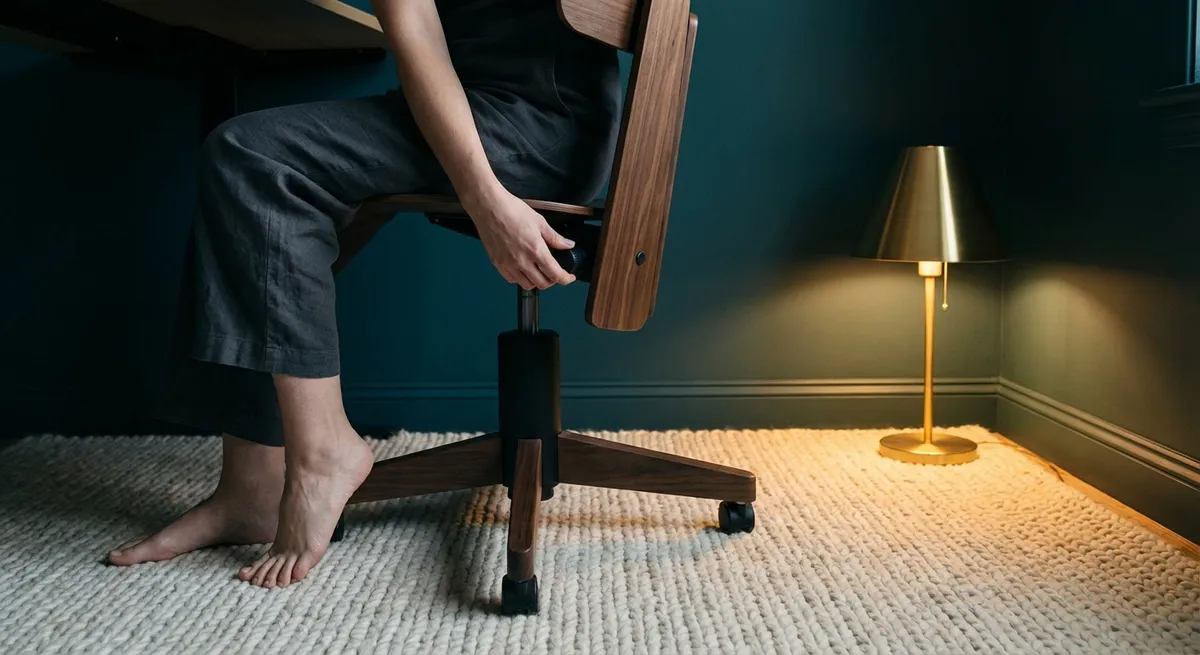
Back pain rarely arrives with fanfare. It accumulates—meeting by meeting, email by email, commute by commute—until your spine becomes a ledger of small, repeated compromises. Ergonomics, when done well, is not about gadgets or rigid rules; it is about crafting an environment that quietly supports the way your body is meant to move. For those who expect more than “good enough” from their health, ergonomic design becomes less a correction and more a form of curation.
Below are five exclusive, nuanced insights that move beyond generic posture tips. Each is designed for discerning individuals who want to treat back care not as damage control, but as a signature daily habit.
1. Designing the “Neutral Spine Zone” Instead of Chasing Perfect Posture
The myth of perfect posture has done many backs a disservice. The spine is not a column to be held rigid; it is a dynamic structure designed to move, respond, and adapt. A more sophisticated approach is to create a neutral spine zone—a comfortable range of positions that respect your spine’s natural curves rather than forcing a single ideal.
In seated work, this means your lower back maintains a gentle inward curve, your mid-back is softly supported, and your neck aligns with the rest of your spine rather than jutting forward. The key is not to freeze in this alignment, but to return to it regularly as a home base. Your chair, desk height, and screen position should all be arranged so that this neutral zone feels effortless, not strained.
This approach reframes posture as something you float in and out of, supported by your environment instead of willpower. A well-shaped backrest, a desk at roughly elbow height, and a monitor kept at or just below eye level allow your spine to settle naturally. The goal is quiet alignment, not visible stiffness.
2. Curating Micro-Movements: The Hidden Luxury Your Spine Craves
Luxurious back care is not about doing less; it is about moving more intelligently. Prolonged stillness—no matter how “correct” your posture appears—is stressful to discs, muscles, and joints. What a sophisticated ergonomic setup truly offers is permission for constant, low-effort micro-movement.
Think of subtle shifts: rolling your pelvis slightly forward and back, transitioning between a lightly reclined and more upright position, gently rotating your shoulders, or changing foot placement. A chair that allows a controlled recline, a footrest that encourages different leg angles, and armrests that support fluid arm positioning all promote this understated motion.
These micro-movements act like a slow-drip infusion of circulation and joint nutrition. They help prevent the dull ache that appears after a long meeting or a day at the desk. Over time, this curated movement rhythm does more to protect your back than any single stretch session could. The refined strategy is to design your space so movement is the default, not an interruption.
3. The Optical Spine: How Visual Ergonomics Shape Your Back
Your back quietly follows your eyes. If your screen is too low, your neck and upper back compress; if it is too far, you lean forward; if the lighting is poor, you crane and squint. Visual ergonomics—how you see your work—has a direct and often underestimated impact on how your spine feels.
A premium back care environment starts with bringing the work to your gaze, not your gaze to the work. Your primary monitor should sit directly in front of you, about an arm’s length away, with the top of the screen at or slightly below eye level. If you use multiple screens, the one you look at most should be centered; secondary displays can be angled off to the side to minimize neck twisting.
Lighting must be curated as carefully as furniture. Harsh overhead glare or strong reflections on your screen force subtle compensations in head and neck position over hours. Soft, indirect light, paired with reduced screen glare, allows your eyes—and therefore your spine—to relax. For those who read from tablets or laptops, raising the device to eye level and using an external keyboard is a small but powerful refinement that spares your neck from constant forward bending.
4. The Seam Between Work and Home: Ergonomics as a Lifestyle Continuum
Back discomfort often arises in the unexamined transitions: from desk to car, from office chair to sofa, from home workstation to bed. Elevated ergonomics treats these transitions as part of a continuous design for your spine, not as separate worlds.
In the car, seat-back angle and lumbar support determine whether your lower spine is cradled or compressed. A slight recline with a modest lumbar curve—rather than a fully upright, rigid position—usually allows the back to settle comfortably. At home, a soft, slouch-inducing sofa can undo a day of meticulous office ergonomics in an evening. Adding a small lumbar pillow or choosing firmer seating with a supportive backrest turns lounging into something restorative instead of eroding.
Even the way you hold your phone matters. Repeatedly looking down at a device in your lap trains your neck into extreme flexion. Lifting the phone closer to eye level and resting elbows on armrests, a table, or a pillow transforms a casual habit into a more spine-conscious ritual. When ergonomics is understood as a seamless continuum, your spine no longer has to renegotiate support in every new environment.
5. Personal Ergonomic Signature: Customizing Around Your Back’s Story
The most sophisticated ergonomic designs are personalized, not generic. Your spine has a history—old injuries, athletic habits, work demands, preferred sleeping positions—each of which should inform your setup. Treat ergonomics as a tailored experience that reflects your back’s story and your life’s rhythm.
For someone with lumbar disc issues, a slightly more reclined working posture with strong lumbar support and feet firmly grounded may be ideal. For a person with upper back and neck tension, emphasis might shift to monitor height, arm support while typing, and regular standing intervals. Those who travel frequently may prioritize portable ergonomic elements: a compact lumbar roll, a foldable laptop stand, or a travel footrest.
Consulting with a physical therapist, occupational therapist, or ergonomics professional can elevate this customization further. They can help you test subtle adjustments—seat pan depth, armrest height, desk clearance, foot support—that are difficult to fine-tune alone. Over time, the result is what might be called your ergonomic signature: a coherent set of habits and arrangements that quietly protect your back across every setting.
Conclusion
True ergonomic refinement is not loud. It does not announce itself in dramatic gadgets or rigid rules. Instead, it reshapes the background of your life so that your spine is consistently, subtly supported—at your desk, in your car, on your sofa, and everywhere in between. By cultivating a neutral spine zone, curating micro-movements, refining visual ergonomics, smoothing the seams between environments, and tailoring your setup to your back’s unique history, you transform ergonomics from a checklist into a lifestyle.
In this quieter, more intentional approach, back care becomes something more than pain avoidance. It becomes a daily expression of how carefully you choose to live in your own body.
Sources
- National Institute of Neurological Disorders and Stroke – Low Back Pain Fact Sheet - Overview of causes, risk factors, and management of low back pain
- NIOSH (CDC) – Computer Workstations eTool - Evidence-based guidance on optimizing computer workstation ergonomics
- Mayo Clinic – Office Ergonomics: Your How-To Guide - Practical recommendations for chair, desk, and equipment setup
- Harvard Health Publishing – The Importance of Good Posture - Discussion of posture, spinal alignment, and pain prevention
- Occupational Safety and Health Administration (OSHA) – Ergonomics - Official resources on ergonomic principles and workplace risk reduction
Key Takeaway
The most important thing to remember from this article is that this information can change how you think about Ergonomics.



