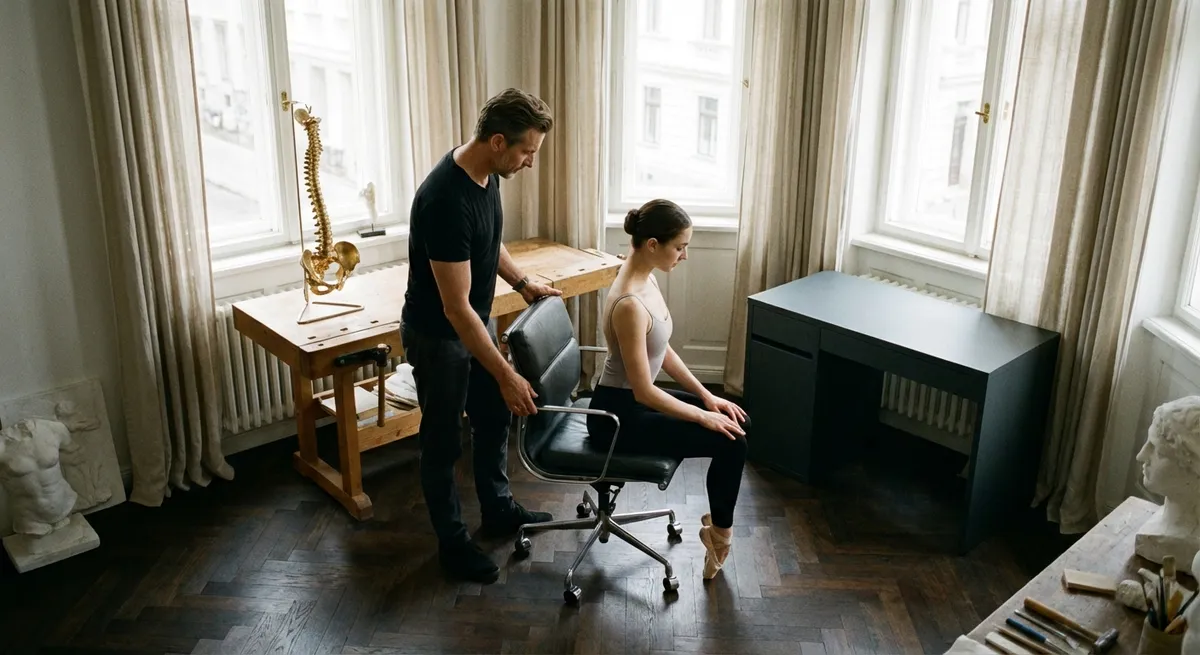
For many discerning professionals, back discomfort no longer appears as a dramatic crisis, but as a persistent undercurrent: a tightness during late-night emails, a dull ache halfway through a flight, a stiffness that lingers after a weekend at the cottage. Ergonomics, when treated as a refined craft rather than a box-ticking exercise, offers a quieter, more intelligent path to relief. This is not about buying more equipment; it is about orchestrating how your body, your environment, and your habits interact—so that your spine can work less while you accomplish more.
Below are five exclusive, often-overlooked ergonomic insights—subtle, precise adjustments that those living with back issues can feel in the smallest details of their day.
Beyond the Chair: Designing a “Movement Envelope” Around You
The traditional notion of ergonomics stops at “sit up straight in a good chair.” For a sensitive back, that is only the beginning. The true luxury is a workspace designed as a movement envelope: an environment that quietly invites and permits micro-movements all day instead of demanding stillness.
Imagine your core work area as a three-dimensional dome around you. The items you touch frequently—keyboard, pointing device, phone, notebook, water glass—should sit comfortably within this dome so your elbows remain near your sides and your shoulders avoid subtle reaching. Less-frequent items live just beyond, encouraging you to stand, pivot, or step when you do need them.
This intentional layering of distance creates a natural choreography: you type in close, supported positions; you reach further only when you are meant to move. For a back that reacts to even minor strain, minimizing repeated micro-reaches at awkward angles is often the difference between “tolerable” and genuinely comfortable. Your goal is not stillness; it is controlled, well-distributed motion throughout the day, supported by a layout that feels intuitive rather than enforced.
The Spine’s Quiet Allies: Wrists, Eyes, and Feet
Back pain often seduces us into staring at the spine alone, while the actual culprits may be less obvious: a twisted wrist, a squint toward a dim monitor, or unsupported feet searching for the floor. For a refined ergonomic strategy, these “quiet allies” are treated with as much respect as the lumbar curve.
Your wrists influence your shoulders, which in turn dictate how your upper back and neck behave. A low keyboard or a cramped laptop can cause the shoulders to roll forward, dragging the thoracic spine with them. Similarly, a monitor that sits too high or too low forces your neck into sustained flexion or extension—small movements that, over hours, ripple into mid-back fatigue.
Feet are the foundation of your seated posture. When they dangle or are only partially supported, the pelvis often tilts, and the lumbar spine compensates. A well-chosen footrest (or simply adjusting chair height so your feet rest solidly on the floor) can quiet unnecessary tension up the entire kinetic chain. Elegant ergonomics recognizes that your back is only as comfortable as the wrists that type, the eyes that focus, and the feet that anchor you.
Micro-Tilts and Micro-Breaks: Precision Instead of Perfection
“Sit perfectly straight” is an unrealistic command—especially for a back that has already learned the language of pain. An intelligent alternative is to cultivate micro-tilts and micro-breaks: frequent, nearly invisible adjustments that prevent any one posture from becoming punitive.
Rather than seeking a single “ideal” sitting position, treat posture as a rotating collection of acceptable positions. Slightly reclined with proper lumbar support, upright but relaxed, perched a bit forward for more alert tasks—each posture is safe in moderation. The key is rotation. Set a subtle reminder every 20–30 minutes, not necessarily to walk, but at least to change your angle: a degree or two of recline, a small shift in pelvis position, a gentle neck rotation.
This approach is particularly valuable for those living with chronic or recurrent back issues, where overcorrection—locking into a rigid, “perfect” posture—can lead to new tension. You are not sculpting yourself into a statue; you are maintaining a poised, adaptable alignment that allows your spine to share the workload with your hips, shoulders, and core over the course of the day.
Transition Rituals: Protecting the Back Between Environments
Back discomfort often flares not during a task, but during transitions: getting out of the car, rising from a long meeting, stepping off a flight, or moving from the sofa to bed. High-level ergonomics acknowledges these in-between moments as design opportunities rather than afterthoughts.
Consider a brief “transition ritual” whenever you change environments. When standing from a chair after prolonged sitting, plant both feet, hinge slightly at the hips with a neutral spine, and use your legs—rather than your low back—to power the movement. After a commute, take 60 seconds for gentle extension or side-bending before heading to your desk. Post-flight, prioritize a slow, deliberate walk, allowing your spine to decompress before lifting luggage or hunching over a phone.
For those managing existing back issues, these tiny rituals are protective buffers, reducing the shock of abruptly loading a spine that has been static for hours. Over days and weeks, you are effectively smoothing the peaks and valleys of spinal stress, which is where many subtle strains—and later, more noticeable episodes—originate.
Ergonomics as an Ongoing Conversation With Your Back
Perhaps the most exclusive insight is also the most understated: refined ergonomics is not a one-time setup, but an ongoing conversation with your back. As your work changes, as stress ebbs and flows, and as your body adapts to new routines, the “right” configuration will evolve.
Cultivate the habit of periodic recalibration. Every few weeks, reassess your chair height, screen distance, and lighting—ideally at a different time of day, when shadows and your own energy levels shift. Notice patterns: Does discomfort predictably appear during a certain meeting, flight duration, or after specific leisure activities? These are data points, not failures.
For individuals with a history of back issues, thoughtfully combining professional guidance—such as physical therapy or medical advice—with ergonomic refinement can be especially powerful. Where clinical care addresses tissue, joints, and movement patterns, ergonomics shapes the landscape those structures inhabit daily. The result is not merely fewer flare-ups, but a deeper sense of confidence: the feeling that your environment no longer works against your spine, but quietly, consistently, in its favor.
Conclusion
Premium back care is less about adopting dramatic, one-time solutions and more about curating a life in which your spine is quietly supported at every turn. When you think beyond the chair, respect the influence of wrists, eyes, and feet, embrace micro-movements, protect the transitions between activities, and treat ergonomics as an evolving dialogue, your back is no longer an obstacle to be managed but an asset to be preserved.
This is the true luxury of refined ergonomics: a daily environment so thoughtfully composed that comfort feels effortless—and your back, finally, can fall silent.
Sources
- National Institute for Occupational Safety and Health (NIOSH) – Ergonomics and Musculoskeletal Disorders - Overview of ergonomic risk factors, workplace design, and musculoskeletal health
- Mayo Clinic – Office Ergonomics: Your How-To Guide - Practical recommendations for desk setup, chair adjustment, and posture
- Harvard Health Publishing – The Best Ways to Sit at Your Desk - Evidence-based guidance on seated posture, micro-breaks, and back strain reduction
- Occupational Safety and Health Administration (OSHA) – Computer Workstations eTool - Detailed breakdown of ergonomic considerations for monitors, input devices, and seating
- Cleveland Clinic – Back Pain: Prevention - Preventive strategies for back pain, including posture, movement habits, and daily environment adjustments
Key Takeaway
The most important thing to remember from this article is that this information can change how you think about Ergonomics.



