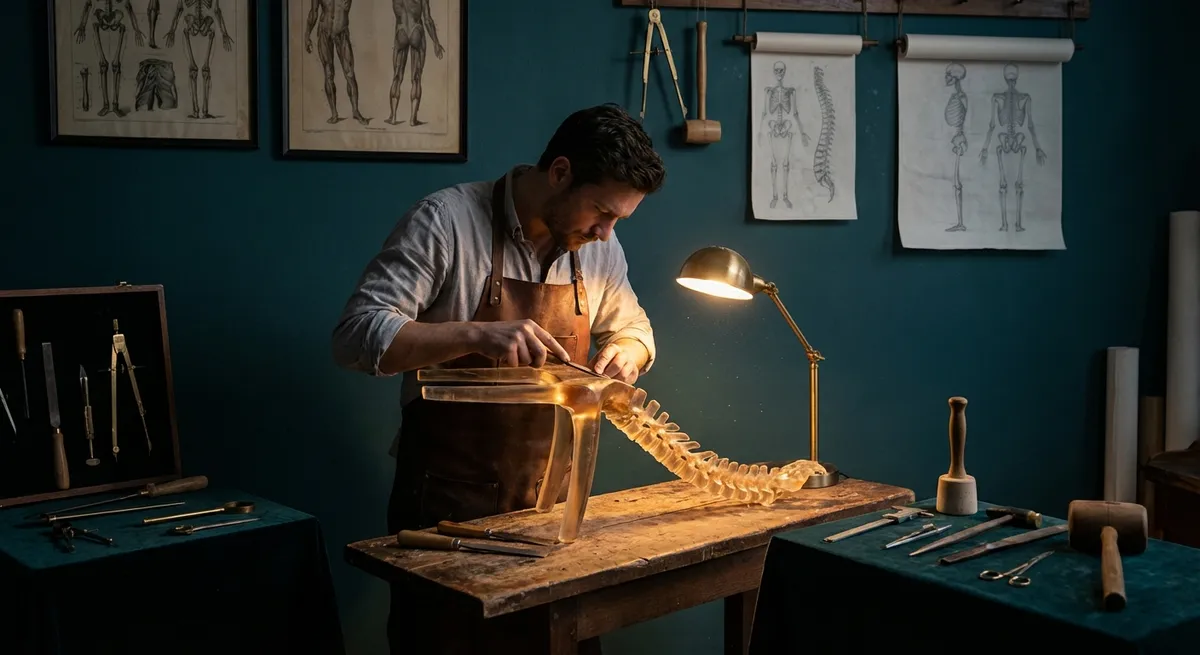
Ergonomics is often reduced to buzzwords and beige office chairs. In reality, it is closer to bespoke tailoring: a precise alignment between your body, your environment, and the way you move through the day. For those living with back issues, this alignment is not a luxury—it is the quiet infrastructure that determines whether your spine is merely coping or genuinely supported.
This is ergonomics as curation rather than clutter: deliberate, measured, and grounded in subtle refinements. Below are five exclusive, under-discussed insights that elevate back care from “good enough” to intentionally excellent.
1. Micro-Posture: The Fine Art of the 20-Second Reset
Conventional advice tells you to “sit up straight” or “avoid slouching.” The reality is more nuanced: no posture is healthy if you hold it long enough. The spine thrives on subtle, frequent movement—what can be thought of as micro-posture.
Instead of chasing a single “perfect” position, build a practice of 20-second resets every 20–30 minutes. This is not a full stretch break; it is a micro-adjustment:
- Gently tilt your pelvis forward and back to find a neutral lower back.
- Lengthen the back of your neck as if creating space between each vertebra.
- Roll your shoulders up, back, and down, settling them away from your ears.
- Lightly engage your lower abdomen as though bracing for a quiet inhale.
These movements are barely visible to others, yet they recalibrate spinal loading, ease muscle fatigue, and interrupt the slow creep into strain. People with back issues often report that pain “arrives out of nowhere.” In reality, it is the compound effect of hours spent in unexamined stillness. Micro-posture is the antidote: disciplined, discreet, and remarkably effective.
2. The Contact Map: Rethinking How Your Body Meets Furniture
Most ergonomic advice focuses on shapes and angles—seat height, screen level, keyboard distance. Less discussed, but equally important, is the quality of contact between your body and the surfaces that hold it. This “contact map” dictates how force is distributed across your spine.
A refined contact map considers:
- Backrest contour: Your mid-back (thoracic spine) should be supported without pushing your lower back into a forced curve. Adjustable lumbar support that can be softened or lowered often works better than aggressive, rigid bumps.
- Seat pressure: Weight should be shared between your sitting bones and thighs, not concentrated at the tailbone or hamstrings. A slightly forward-tilting seat pan or a well-designed cushion can prevent local pressure points that irritate nerves.
- Foot stability: Feet should rest fully on a stable surface. A footrest—properly sized—can transform pelvic position, which in turn alters the entire spinal stack.
- Arm support: Elbows lightly supported keeps shoulder and neck muscles from constant low-grade tension, which can feed directly into upper back pain.
For people with back issues, experimenting with contact—adding a thin cushion here, adjusting armrest height there—often yields disproportionate relief. Think of your chair as a made-to-measure garment: minor tailoring can convert it from acceptable to exceptional.
3. The Spine’s Daily Timeline: Designing Ergonomics by the Clock
Backs do not experience the day evenly. Your discs, muscles, and ligaments move through a quiet physiological timetable—and your ergonomics should honor that schedule.
- Morning (first 1–2 hours awake): Spinal discs are slightly more hydrated and pressurized after sleep, which can make forward bending and heavy lifting riskier. During this period, prioritize neutral positions, gentler movements, and avoid dramatic toe-touch stretches or lifting heavy loads from the floor.
- Midday (late morning to early afternoon): This is generally the most resilient window for sitting and focused work. It is also the ideal time to schedule tasks that require sustained concentration with a stable sitting posture—so long as you build in movement micro-breaks.
- Late afternoon: Local fatigue accumulates, especially in the lower back and neck. Ergonomics here should emphasize variety: alternate between sitting and standing, or occasionally working from a higher counter or lectern-style setup.
- Evening: Prolonged screen time on soft seating can quietly undo the day’s good intentions. If you choose a sofa or lounge chair, consider lumbar support, a small rolled towel behind the lower back, and keeping screens at eye height rather than in your lap.
Back issues often flare not simply because of what you do, but when you do it. Aligning your most demanding postures or movements with your spine’s strongest hours is a subtle yet decisive upgrade.
4. Precision Standing: The Overlooked Skill in “Sit-Stand” Culture
Standing desks are often framed as a cure-all, yet long periods of static standing can be just as problematic as static sitting—particularly for those with back pain. The true advantage of a sit-stand setup lies not in standing more, but in standing better and alternately with sitting.
Refined standing ergonomics include:
- Soft asymmetry: Instead of locking your knees and standing bolt upright, gently shift weight between legs or rest one foot on a low footrest. This creates dynamic loading and reduces strain on the lower back.
- Pelvic orientation: Slightly unlock your knees and imagine your pelvis as a bowl balanced over your feet—not tipped forward (excessive arch) or backward (flat back). This subtle alignment helps the spine stack more naturally.
- Desk compatibility: When standing, your keyboard should be at roughly elbow height, and your screen at or just below eye level. The same precision you demand from a seated setup applies here.
- Standing intervals: Start with short intervals—10–15 minutes at a time—rather than jumping to hours of standing. Gradual exposure lets your muscles and joints adapt without provoking pain flare-ups.
For someone with back issues, the goal is a portfolio of positions: optimized sitting, refined standing, and gentle transitioning between them—rather than allegiance to a single “correct” posture.
5. The Travel and Transition Zones: Where Most Ergonomics Quietly Fail
Many people cultivate impeccable ergonomics at their primary desk but endure chaotic conditions everywhere else: the car, the train, the airplane, the hotel room, the café, the dining table repurposed as a workstation. These in-between spaces—the “transition zones”—are often where back pain takes root.
Sophisticated back care anticipates these environments:
- In the car: Adjust the seat tilt so your hips are slightly higher than your knees, and bring the seat closer than you think you need to avoid reaching for the wheel. A slim lumbar roll can stabilize the lower spine during longer drives.
- On planes or trains: Use a small cushion or rolled sweater at the lower back, support your feet (especially if they dangle), and periodically recline the seat slightly to redistribute spinal load.
- At temporary workspaces: Elevate laptops on whatever is available—books, boxes, or stands—and plug in an external keyboard and mouse whenever possible. Even in imperfect environments, aligning your gaze and shoulder position matters.
- In hotels: Avoid working in bed with the laptop on your lap. Instead, create a simple ergonomic station using the desk and a firm chair; adjust with towels or cushions as necessary.
For those dealing with back issues, real-world ergonomics are measured not just at your “ideal” workstation but across the entire architecture of your day. The more consistent your spine’s support in these liminal spaces, the less your back pays for them later.
Conclusion
Ergonomics at its highest level is not a collection of gadgets; it is a philosophy of how you inhabit your spaces. For a sensitive or previously injured back, excellence lives in nuance: 20-second posture resets, a carefully curated contact map, attention to the spine’s daily timeline, precision standing, and thoughtful strategies for the transition zones that most people ignore.
When these elements come together, ergonomics stops feeling like a set of rules and begins to resemble something far more compelling: a refined environment that quietly, consistently, and intelligently protects your spine.
Sources
- [National Institute for Occupational Safety and Health (NIOSH): Ergonomics and Musculoskeletal Disorders](https://www.cdc.gov/niosh/topics/ergonomics/default.html) - Overview of ergonomic principles and their role in reducing musculoskeletal strain
- [Mayo Clinic – Office Ergonomics: Your How-To Guide](https://www.mayoclinic.org/healthy-lifestyle/adult-health/in-depth/office-ergonomics/art-20046169) - Practical guidance on setting up workspaces to support spinal health
- [Occupational Safety and Health Administration (OSHA) – Computer Workstations](https://www.osha.gov/etools/computer-workstations) - Detailed recommendations on posture, workstation layout, and equipment adjustments
- [Harvard Health Publishing – The Truth About Sitting, Standing, and Back Pain](https://www.health.harvard.edu/pain/the-truth-about-sitting-standing-and-back-pain) - Discussion of sitting versus standing and the impact on back discomfort
- [Cleveland Clinic – Back Pain: Prevention and Lifestyle Changes](https://my.clevelandclinic.org/health/diseases/4635-back-pain) - Evidence-based strategies for preventing and managing back pain in daily life
Key Takeaway
The most important thing to remember from this article is that this information can change how you think about Ergonomics.



