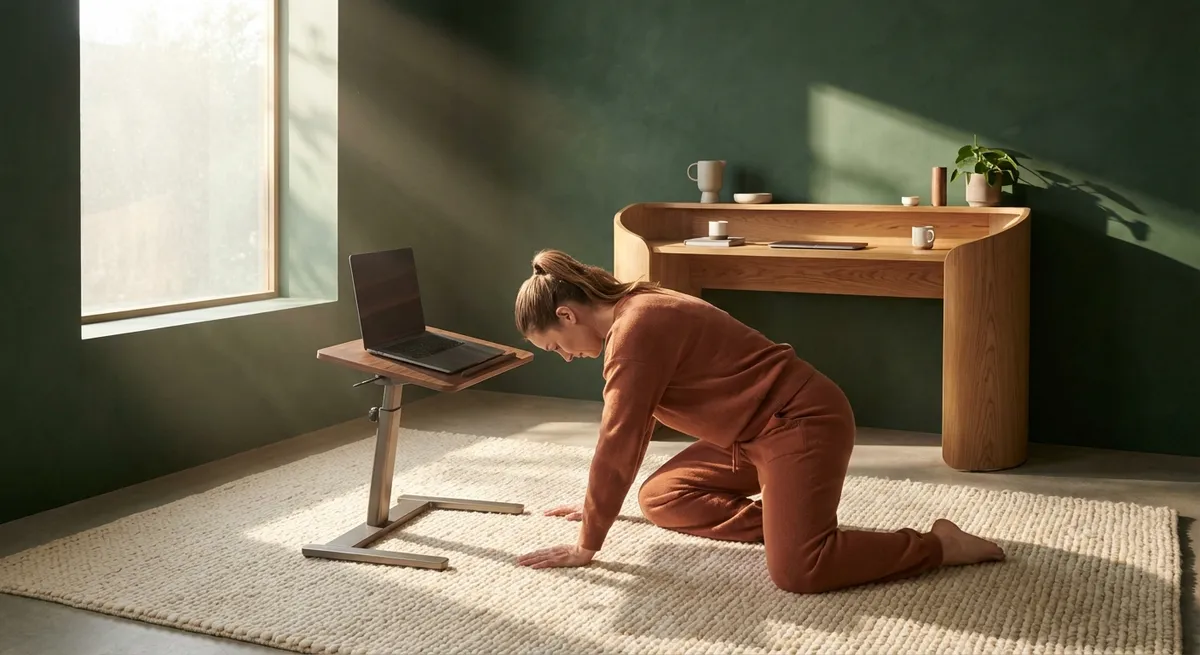
Back comfort is rarely an accident. For people living with back issues—whether from long hours at a desk, frequent travel, or a demanding professional life—true relief is usually the result of meticulous, informed choices. Ergonomics, when practiced thoughtfully, becomes less about gadgets and more about an ongoing, refined stewardship of how you occupy space. This is not about perfection, but about elevating the way you sit, stand, move, and rest so your spine is quietly supported, all day long.
Below are five exclusive, often-overlooked ergonomic insights designed for those who expect more than generic advice—and who are ready to treat back care as an intentional, high‑level practice rather than a quick fix.
Insight 1: Design the Route, Not Just the Seat
Most ergonomic guidance fixates on the chair. Yet for many people with back issues, the decisive factor is not the seat itself but the sequence of postures across the entire day.
Begin by mapping your “spine timeline”—from the moment you wake to the moment you sleep. Note how long you:
- Sit (and where)
- Stand (and on what surface)
- Walk (and in which shoes)
- Carry weight (bags, devices, luggage)
This reveals accumulations of strain that no single ergonomic chair can offset. A premium approach to ergonomics addresses transitions: the move from your car to your desk, your desk to meeting rooms, your home office to the sofa.
Refine your day with strategic adjustments: a standing segment for short calls, a short walk between meetings, a supportive perch stool for tasks that don’t require full seating, or a different seat for reading at night than the one you use for work. When you design the route your spine travels—not just the chair you buy—you create a more even distribution of load and far gentler demands on sensitive structures in the back.
Insight 2: Calibrate Desk Height to Your Spine, Not Your Furniture
Many people adapt their posture to the desk, rather than adjusting the desk to the person. The result is a spine that is subtly but consistently compromised. For individuals with back pain, such compromises accumulate quickly.
A more exacting approach uses the body as the standard:
- When typing, your elbows should rest roughly at 90 degrees, with shoulders relaxed and not hiked.
- Your forearms should float parallel to the floor, wrists neutral—not bent up or down.
- Your monitor(s) should place your gaze just slightly below eye level, keeping your neck in a gentle, lengthened alignment rather than thrust forward or tilted down.
If your desk cannot be adjusted, adjust what meets the desk: a keyboard tray, a low-profile keyboard, a monitor riser, or even a slim laptop stand with an external keyboard and mouse. For those navigating back issues, these seemingly minor calibrations can meaningfully reduce neck and upper-back tension, which often radiates downward.
Think of your desk as a bespoke workstation that should be tuned to you with the same care a tailor gives to a jacket: quiet, precise adjustments that transform comfort without calling attention to themselves.
Insight 3: Treat Micro-Movements as Protective Luxury
People with back problems are often advised to “sit still” or “hold good posture.” In practice, rigid stillness can aggravate pain, compress joints, and fatigue muscles. High-level ergonomics appreciates that the spine thrives on subtle, frequent variation.
Consider micro-movements as a form of protective luxury:
- A gentle pelvic rock forward and back while seated
- A soft shoulder roll between emails
- Adjusting your foot position or footrest every 10–15 minutes
- Standing for a brief stretch during a phone call
- Shifting from both feet on the floor to a staggered stance at a standing desk
These are not fidgeting; they are deliberate, minimal shifts that keep circulation flowing, prevent tissues from “locking,” and decrease the cumulative load on any single structure in your back. Set a discreet reminder—such as a recurring calendar alert or a subtle vibration on a wearable device—to cue these posture changes without interrupting focus.
When movement is woven into your workday at this micro level, your back experiences a nuanced, ongoing care that is far more effective than a single, intense workout trying to “undo” ten static hours.
Insight 4: Elevate Support Surfaces Beyond the Chair
For many people with back issues, the most underappreciated ergonomic factor is not the office setup but the surfaces they use outside formal work—sofas, dining chairs, beds, and even hotel rooms during travel.
A sophisticated approach includes:
- Living room seating: Opt for firmer, well-supported options where your hips are not significantly lower than your knees. Deep, soft seating can force the lower back into prolonged flexion, especially problematic for those with disc or joint sensitivities.
- Dining area: Ensure chairs allow your feet to rest flat on the floor, with the seat depth supporting your thighs without pressing into the back of the knees. If needed, a discreet lumbar pillow or folded towel can refine support when you linger over meals or work at the table.
- Sleep environment: A mattress that is too soft may allow the spine to “fall” into misalignment, while one that is too firm can create pressure points. For many individuals with back pain, a medium-firm, supportive mattress with an adjustable pillow height (depending on sleeping position) yields better spinal alignment during the longest uninterrupted posture of the day: sleep.
- Travel settings: Carry a compact lumbar roll or portable cushion for airplanes, trains, and rideshares, and adjust seatbacks so your spine rests in a neutral curve rather than collapsed into the seat.
By elevating all your support surfaces, not just your office chair, you protect your back from the hidden hours where posture is typically most neglected: evenings, weekends, and travel days.
Insight 5: Align Bags, Devices, and Footwear with Your Spine Strategy
Ergonomics is often framed as a desk-only concern, but the objects you carry and wear can quietly sabotage or support your back care efforts.
For those managing back pain, consider the following refinements:
- Bags: Prefer a well-fitted backpack with two straps over single-strap bags for heavier loads. If a briefcase or shoulder bag is non-negotiable, consciously alternate sides, limit weight, and avoid carrying it at the same angle for extended walks.
- Laptops and tablets: Avoid working with devices in your lap for long periods, particularly when traveling. A compact stand or even a folded jacket beneath the device can improve screen height, while an external keyboard can help keep shoulders and neck out of strain.
- Footwear: Footwear that lacks support or heightens the heel excessively can alter pelvic alignment and increase lumbar stress. For individuals with back pain, stable, supportive shoes with an appropriate heel-to-toe drop can significantly influence comfort throughout the day, especially if your work or lifestyle demands prolonged standing or walking.
- Smartphone habits: Holding your phone at chest or eye level, rather than perpetually looking down, can spare your neck and upper back from repetitive, cumulative strain.
By thoughtfully aligning these “mobile ergonomics” elements with your overall spine strategy, you extend your back care beyond the office into every corridor, commute, and corridor walk.
Conclusion
Exceptional back care does not announce itself with dramatic changes; it reveals itself in the quiet absence of strain at the end of a demanding day. When ergonomics is treated as daily spine stewardship—thoughtfully shaping your route, calibrating your workspace, embracing micro-movements, refining surfaces throughout your home and travel, and harmonizing the objects you carry—your back is no longer an afterthought. It becomes a protected, prioritized asset.
For those already navigating back issues, these five insights are not luxuries; they are intelligent safeguards. The reward is a life in which physical comfort and professional ambition no longer stand in opposition, but move in considered, sustainable alignment.
Sources
- National Institutes of Health – Office Ergonomics: A Guide to Workplace Comfort – Overview of key ergonomic principles and workplace recommendations
- Mayo Clinic – Back Pain at Work: Preventing Pain and Injury – Practical strategies for workstation setup and posture for people with back pain
- U.S. Occupational Safety and Health Administration (OSHA) – Computer Workstations eTool – Detailed guidance on adjusting chairs, desks, and monitors for optimal ergonomics
- Harvard Health Publishing – Choosing the Right Mattress for Back Pain – Evidence-based discussion of mattress firmness and spinal alignment during sleep
- Cleveland Clinic – Backpack Safety: Protecting Your Back – Expert recommendations on bag selection, loading, and carrying to reduce back strain
Key Takeaway
The most important thing to remember from this article is that this information can change how you think about Ergonomics.



